Three carts, all advertised as free. Big Cartel’s free plan stops at five products. Payhip’s free plan takes 5% of every sale. Square’s free plan won’t let you use your own domain. Same word, three very different bills.
Most lists of free shopping cart software tell you the price is $0 and stop there. They don’t show what you pay once orders start coming in, or what you still have to run yourself.
So we compared nine free shopping cart platforms against the same hypothetical store, using each vendor’s published pricing and fee structure. One disclosure up front: we built SureCart, and it’s on this list. We’re not neutral, so we held it to the same test as everyone else, including its 2.9% fee.
Last verified: November 26, 2026. We checked pricing, fees, free-plan limits, and WordPress.org ratings on each vendor’s own site on this date. These change often, especially for newer products like FluentCart, so confirm on the vendor’s page before you sign up.
Quick answer: No free cart is completely free to run, so choose based on where your site lives and what you sell. On WordPress, SureCart Launch suits sellers who want checkout and payments run by SureCart’s cloud, WooCommerce suits stores that want a flexible plugin to extend, and FluentCart suits sellers who want no platform fee. Without WordPress, Payhip offers a hosted store or buy buttons. Every option still pays a payment processor on each sale.
- What Free Shopping Cart Software Really Costs: The $1,000-a-Month Test
- The Three Types of Free Shopping Cart Software, and What Each Leaves Out
- How We Compared These Carts
- Carts That Look Free but Aren't
- How to Choose a Free Cart for Your Website
- When a Free Plan Stops Being the Cheapest Option
- Why SureCart Is Worth a Look If Your Site Runs on WordPress
- Conclusion
Key takeaways
- Free means no monthly fee, but you still pay payment processing fees on every card sale.
- Common free-plan limits include product caps, no custom domain, and restrictions on digital product delivery.
- Self-hosted platforms like OpenCart and PrestaShop are free to download, but you pay for hosting and handle the updates.
- At $1,000 a month in sales, transaction-related fees (platform fee plus processor fee) range from $41 to $91. That’s not the full cost of running a store: hosting, maintenance, and add-ons are extra.
Which free cart fits which seller
Start with the row that matches you, then check the details below.
| If you need | Carts in this comparison |
|---|---|
| A cart on your WordPress site | SureCart, WooCommerce, FluentCart, EDD (digital-first) |
| Digital products only | SureCart, EDD, Payhip, WooCommerce, FluentCart, OpenCart, PrestaShop |
| Physical and digital together | SureCart, WooCommerce, FluentCart, Payhip, OpenCart, PrestaShop |
| No separate platform fee | WooCommerce, FluentCart, Big Cartel, OpenCart, PrestaShop, Square Online (3.3% + 30¢ card rate on Free) |
| No hosting to manage | Payhip, Square Online, Big Cartel |
| Full code control | OpenCart, PrestaShop |
OpenCart’s card payments depend on a third-party Stripe extension. The free one we verified supports OpenCart 3.x only; see the OpenCart entry below.
What Free Shopping Cart Software Really Costs: The $1,000-a-Month Test
On $1,000 a month in sales, the transaction-related fees on these free carts (the cart’s platform fee plus the payment processor’s fee) range from $41 to $91 a month. That’s a comparison of fees on sales, not of what each store costs to run: hosting, maintenance, paid integrations, and your time aren’t in it. Three of the nine carts can’t run Megan’s store on their free plan, and a fourth, OpenCart, passes only on its older 3.x branch.
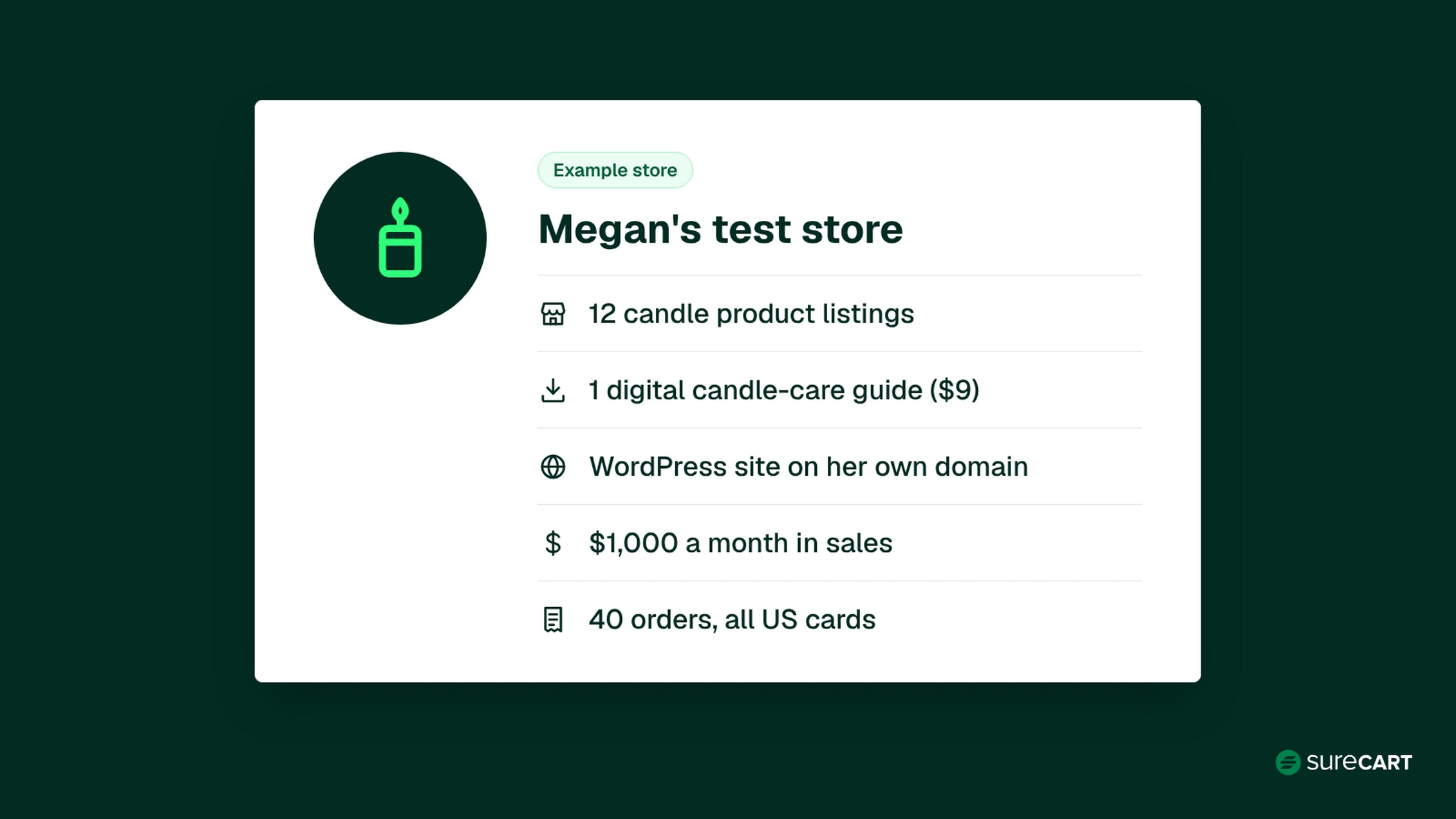
Megan is a made-up seller we’ll follow through this guide. She sells 12 different hand-poured candles (12 separate product listings, not 12 units in stock) and one $9 printable candle-care guide. She already has a WordPress site on her own domain. She makes about $1,000 a month in sales across 40 orders, all paid by US cards.
To run her store on a free plan, a cart has to do three things without paid extensions. It has to sell her 12 product listings with shipping, deliver the guide automatically after payment, and run on her own domain.
Megan already has a WordPress site, so how a cart fits with that site matters as much as whether it passes. The carts that pass do it in one of three ways:
- On her WordPress site: the cart runs inside the site she already has, managed from the same dashboard (SureCart, WooCommerce, FluentCart).
- Hosted by the vendor: the vendor runs the store. She can embed buy buttons on her WordPress pages or connect her domain or a subdomain to the hosted store (Payhip).
- Separate store: she installs, hosts, and maintains a second ecommerce site next to WordPress, with its own admin, updates, backups, and security, usually on a subdomain like shop.yourdomain.com (PrestaShop, and OpenCart under a condition). These can meet the three requirements, but moving her sales to a second system is a much bigger job than adding a plugin.
What this table measures: transaction-related fees only, meaning the cart’s platform fee plus the payment processor’s fee. It is not a comparison of total software or operating costs. Hosting, domain, maintenance, paid add-ons, and setup time are excluded, and each cart’s section below lists those costs and what Megan has to set up.
To compare like with like, every cart that works with Stripe is priced at Stripe’s standard US card rate of 2.9% + 30¢. Most of these carts support other processors too, and PayPal and other gateways charge different rates.
Transaction Fees on $1,000 in Sales (Not Total Store Cost)
| Cart (free plan) | Fees on sales per month | Product limit | Digital delivery | Own domain | Runs Megan’s store? |
|---|---|---|---|---|---|
| SureCart Launch | $70 ($29 SureCart + $41 Stripe) | Unlimited | Automatic | Yes, her WordPress site | Yes, on her WordPress site |
| WooCommerce | $41 (Stripe only) | Unlimited | Automatic | Yes, her WordPress site | Yes, on her WordPress site |
| FluentCart (free) | $41 (Stripe only) | Unlimited | Automatic | Yes, her WordPress site | Yes, on her WordPress site |
| Easy Digital Downloads (free) | $71 ($30 EDD + $41 Stripe) | Unlimited | Automatic | Yes, her WordPress site | No: shipping needs a paid extension |
| Payhip Free Forever | $91 ($50 Payhip + $41 Stripe) | Unlimited | Automatic | Yes, free to connect | Yes, hosted by Payhip |
| Square Free | $45 (Square’s 3.3% + 30¢) | Not stated | Manual | No | No: no custom domain, manual file delivery |
| Big Cartel Gold | $41 (Stripe only) | 5 product listings (variants allowed) | Not available | No | No: 5-listing cap, no digital products |
| OpenCart | $41 (Stripe only) | Unlimited | Automatic, once the order is Complete | Yes, on your hosting | Conditional: separate store; free Stripe extension verified for OpenCart 3.x only |
| PrestaShop Classic | $41 (Stripe only) | Unlimited | Automatic, at Payment accepted | Yes, on your hosting | Yes, as a separate store |
Fees assume Stripe’s 2.9% + 30¢ (Square Free: 3.3% + 30¢) on 40 orders. Hosting, domain, maintenance, and add-ons are not included. Last verified November 26, 2026.
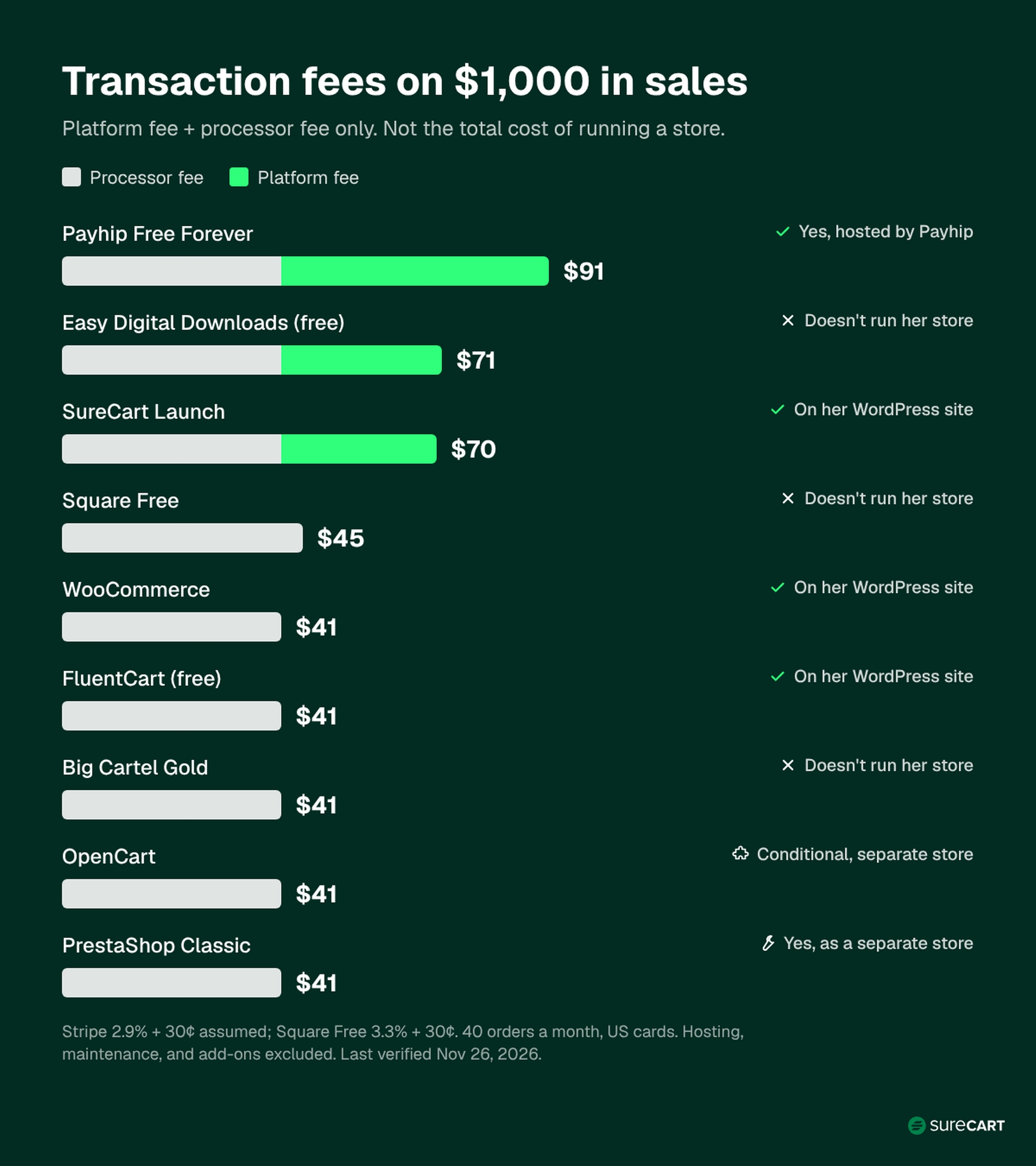
How to read this table. Processor fee: 2.9% x $1,000 = $29.00, plus 30¢ x 40 orders = $12.00, for $41.00. Square uses its own free-plan rate of 3.3% + 30¢, which comes to $45.00. A “Yes” means the free plan, without paid extensions, can sell her 12 product listings with shipping, deliver the guide automatically, and run on her own domain. The words after it say how: on her WordPress site, hosted by the vendor, or as a separate store she installs and maintains. “Conditional” means it passes only in some setups. “No” means at least one requirement is missing.
Paid-plan reference, not part of the fee comparison: SureCart Pro for one store costs $199 a year, about $16.58 a month. It takes no platform fee, so Megan would pay that subscription plus the same $41.00 in processor fees, about $57.58 a month, plus WordPress hosting.
Those $41 rows aren’t “$41 a month to run a store.” WooCommerce, FluentCart, OpenCart, and PrestaShop take no platform fee, but you host them, maintain them, and pay for any extensions your store needs as it grows. Payhip’s $91 row, on the other hand, already includes its hosting.
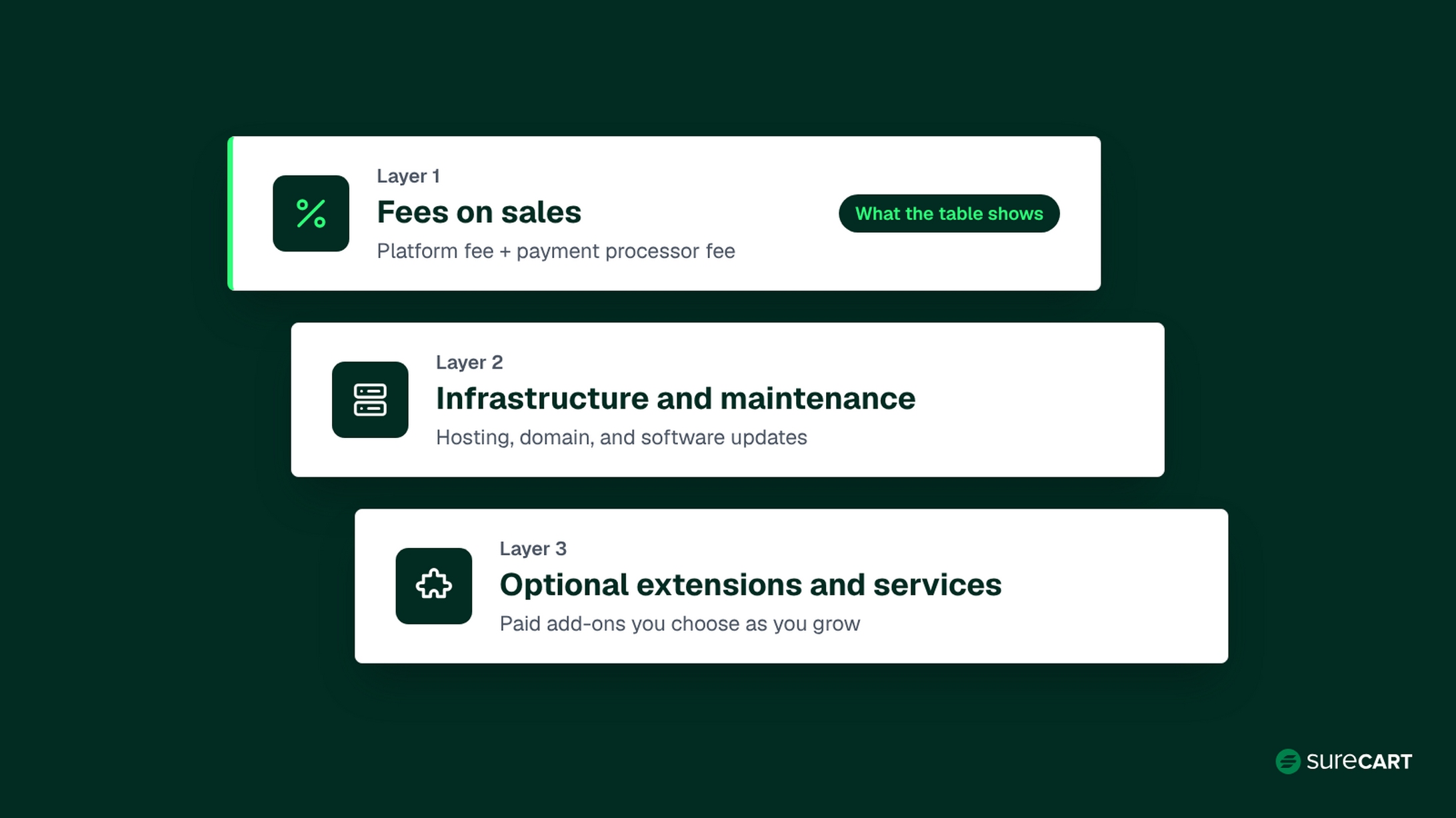
It helps to think of your costs in three layers. Fees on sales are what this table shows. Infrastructure and maintenance cover hosting, your domain, and keeping the software updated. Optional extensions and services cover anything you add later. SureCart’s own explanation of ecommerce fees walks through how the processor fee and the Launch fee stack on a single order.
The three carts that can’t run Megan’s store each miss a different requirement. EDD needs a paid extension to ship her candles. Square Free can’t use her domain and doesn’t deliver files automatically. Big Cartel Gold caps her at five product listings and has no digital products. OpenCart passes only on its 3.x branch, where we found a free Stripe extension we could verify.
Test SureCart Launch on Your WordPress Site. If your site already runs on WordPress, you can build Megan’s store on Launch for $0 a month and see the 2.9% fee only when a sale comes in, on top of your processor’s fee. No credit card required. See SureCart pricing
The Three Types of Free Shopping Cart Software, and What Each Leaves Out
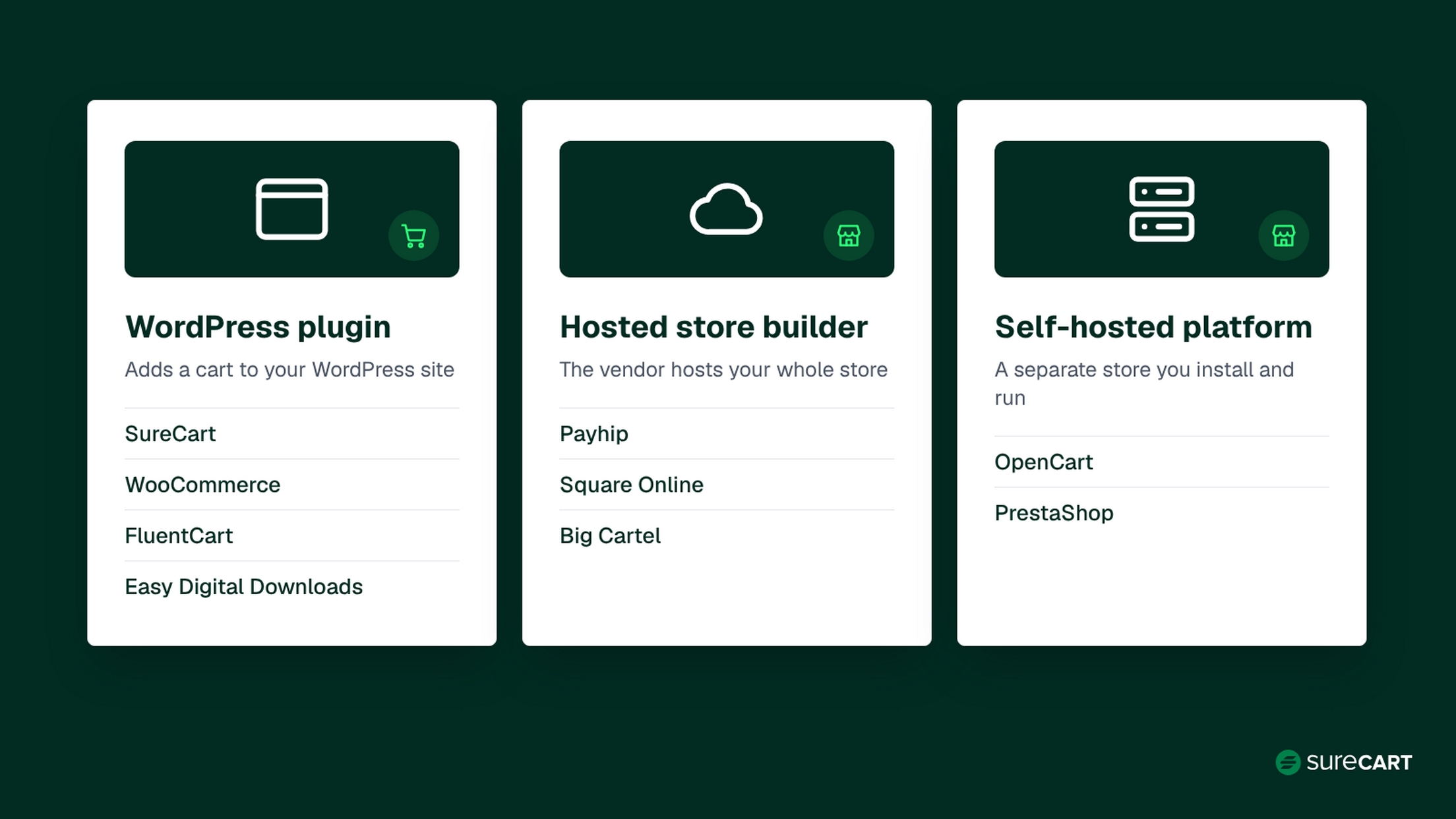
Free shopping cart software comes in three types: a WordPress plugin you add to your site, a hosted store builder, and a self-hosted ecommerce platform. Any of the three can also charge a platform fee on each sale.
It’s worth knowing which one you need before you compare products. WordPress plugins (SureCart, WooCommerce, FluentCart, EDD) add ecommerce to an existing WordPress website. Hosted store builders (Payhip, Square Online, Big Cartel) give you a managed storefront, hosting, and checkout; Payhip can also put buy buttons on a site you already have. Self-hosted ecommerce platforms (OpenCart, PrestaShop Classic) are complete stores you install and maintain on your own hosting. They aren’t carts you add to an existing site.
The platform fee is a separate question. SureCart Launch (2.9%), EDD’s free version (3% on Stripe and PayPal payments), and Payhip Free (5%) charge one. WooCommerce, FluentCart, Big Cartel, OpenCart, and PrestaShop don’t. Square has no separate platform fee, but its free plan charges a higher card rate.
Here’s what running each store looks like day to day.
Running the Store
| Cart | Type | Where store data is hosted | Customization | Updates and maintenance |
|---|---|---|---|---|
| SureCart Launch | WordPress plugin | SureCart cloud + your gateway | WordPress block editor and themes | You: WordPress + plugin. SureCart: platform |
| WooCommerce | WordPress plugin | Your host’s database and server | Themes, blocks, extensions, code | You |
| FluentCart (free) | WordPress plugin | Your WordPress site | Themes, blocks, code | You |
| EDD (free) | WordPress plugin | Your server | Themes, blocks, code | You |
| Payhip Free Forever | Hosted store builder | Payhip | Drag-and-drop builder, custom CSS | Payhip |
| Square Free | Hosted store builder | Square | Square website builder | Square |
| Big Cartel Gold | Hosted store builder | Big Cartel, with Stripe or PayPal | 1 template on Gold | Big Cartel |
| OpenCart | Self-hosted ecommerce platform | Your server | Full code access, themes, extensions | You |
| PrestaShop Classic | Self-hosted ecommerce platform | Your server | Full code access, themes, modules | You |
- WordPress plugin: adds ecommerce to an existing WordPress website; you pay for WordPress hosting.
- Hosted store builder: the vendor provides a managed storefront, hosting, and checkout, with plan limits.
- Self-hosted ecommerce platform: a complete store you install and maintain on your own hosting, separate from any WordPress site.
Where store data is hosted and checkout setup are based on vendor documentation.
How We Compared These Carts
- We included only carts with a $0 plan or a free download open to new sign-ups when we checked.
- Every price, fee, and feature came from the vendor’s own pricing page, docs, or WordPress.org listing, never from another roundup.
- Where a vendor showed a sale, we logged it but quoted the regular price.
- We priced every cart against the same hypothetical store, using Stripe’s standard US card rate wherever the cart works with Stripe.
- For every cart, we listed the same setup steps for Megan: get the software running, connect payments, add her 12 products and the guide, set up shipping, connect her domain, and place a test order.
- We last verified pricing, fees, free-plan limits, and the WordPress.org ratings for the four plugins on November 26, 2026, and we’ll update that date whenever we re-check.
- We built SureCart, and we’ve said so.
This is a pricing and feature comparison, not a performance benchmark. We did not process real transactions, and we did not test checkout conversion, page speed, or usability. Fees are calculated from the assumptions stated above the table.
The Best Free Shopping Cart Software for Your Website
The nine options below are grouped by type, not ranked by score. SureCart comes first because it’s ours, and we’d rather you see it with the same structure, the same questions, and the same limits as every other entry. Each one covers what it offers, what it costs, what it doesn’t do, and who should or shouldn’t use it.
1. SureCart (Free Launch Plan)
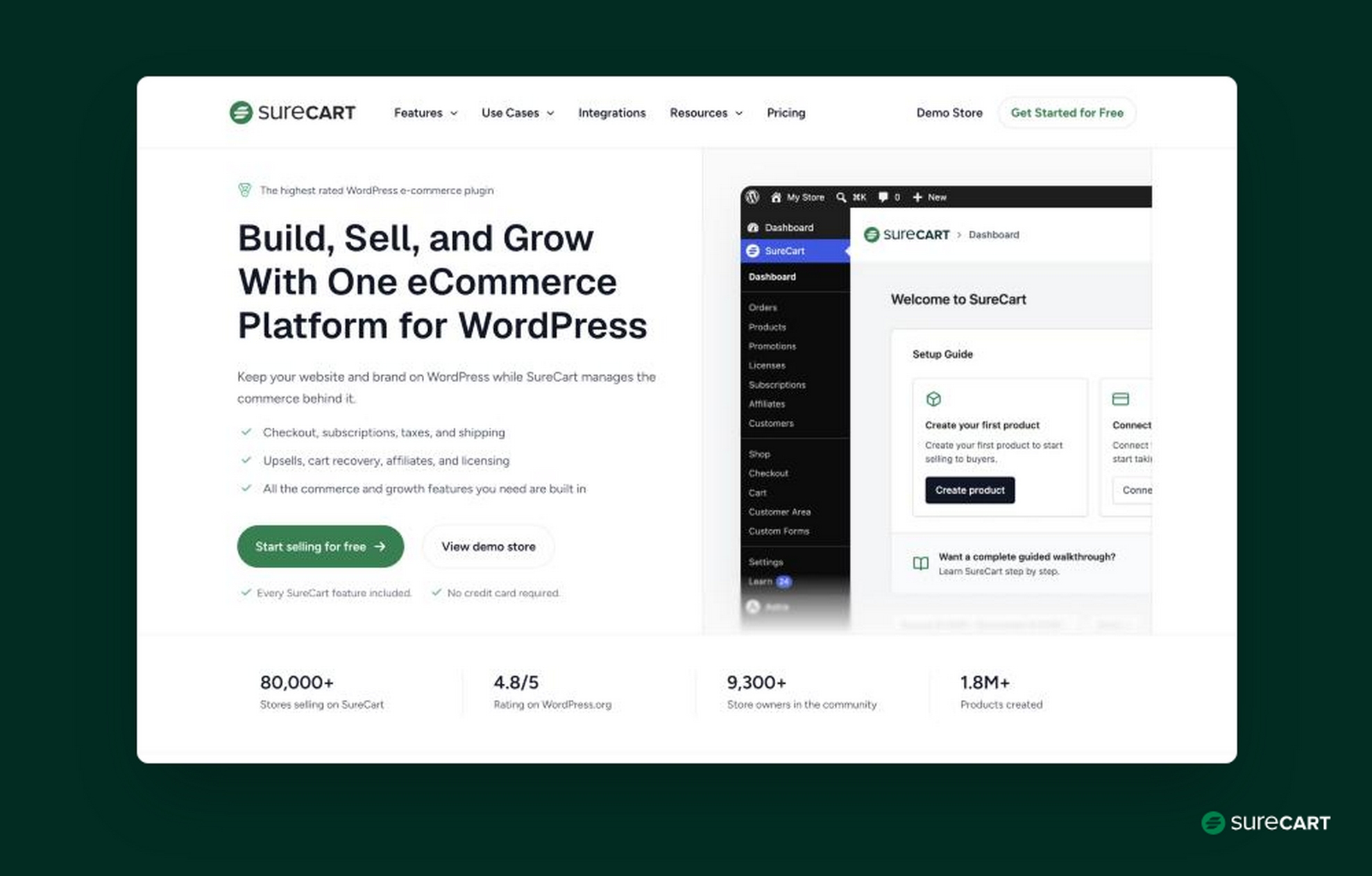
SureCart connects your WordPress site to its cloud-based ecommerce platform, which handles payment operations, subscriptions, taxes, and checkout processing. Card transactions are processed by your connected payment gateway, which charges its own processing fees. You still need WordPress hosting for your website. We built it, so weigh this entry with that in mind.
| Free plan at a glance | SureCart Launch |
|---|---|
| Monthly price | $0 |
| Fee on sales | 2.9% SureCart fee, plus processor fees |
| Product limit | Unlimited products on the free plan |
| Your own domain | Yes, your WordPress site |
| Digital delivery | Automatic |
| Megan’s fees on $1,000 | $70 ($29 SureCart + $41 Stripe) |
| Costs not in that figure | WordPress hosting, domain |
What it offers. The WordPress.org listing says the free plan includes unlimited products, and the pricing page says the same features come on every plan. That includes physical and digital products, abandoned checkout recovery, order bumps, upsells, subscriptions, and tax calculation. It connects to Stripe, PayPal, Mollie, Razorpay, and Paystack.
What it costs. $0 a month, plus a 2.9% SureCart fee on each sale, charged on top of your payment processor’s fees. Pro removes that fee for $199 a year for one store.
What it doesn’t offer. A hosted website. You need WordPress and a host.
Who should consider it. WordPress site owners who want built-in ecommerce and revenue tools.
Who should avoid it. Sellers without a WordPress site who don’t want one, and high-volume sellers who only need a basic cart and would rather pay no platform fee.
What Megan has to set up. Install the SureCart plugin and connect it to a SureCart store account; connect Stripe; add her 12 candles and the guide as a downloadable product; set up shipping profiles and rates; place a test order before going live. Her domain is already in place.
Megan’s verdict: Yes, on her WordPress site. All three requirements are covered on Launch.
WordPress.org rating, checked November 26, 2026: 4.8 out of 5 from 289 ratings (267 five-star, 10 one-star); 70,000+ active installations.
2. WooCommerce
WooCommerce is a free, open-source WordPress plugin with a large extension ecosystem.
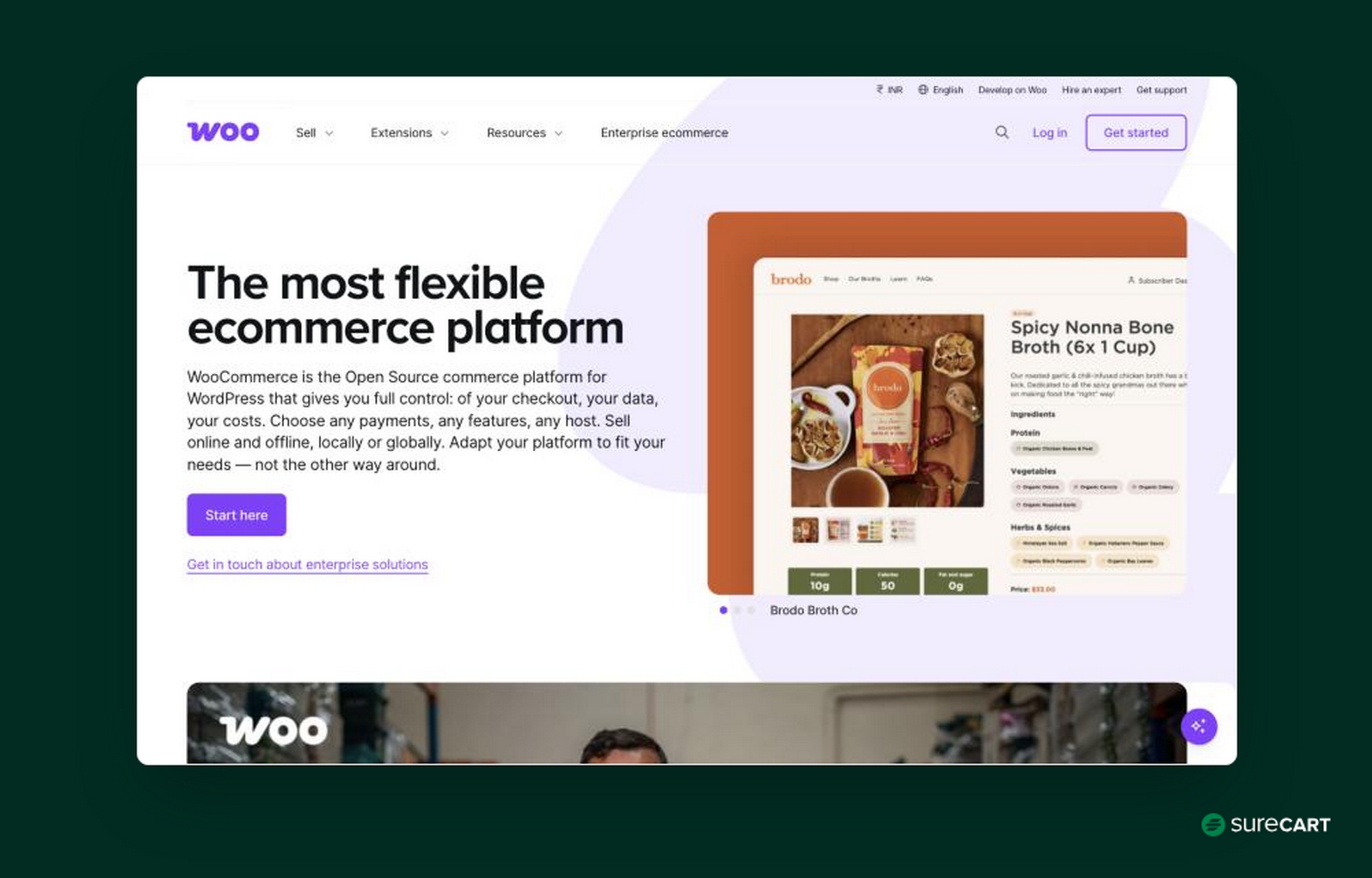
| Free plan at a glance | WooCommerce |
|---|---|
| Monthly price | $0 |
| Fee on sales | No platform fee; processor fees apply |
| Product limit | Unlimited products in the free core platform |
| Your own domain | Yes, your WordPress site |
| Digital delivery | Automatic (Downloadable products) |
| Megan’s fees on $1,000 | $41 (Stripe only) |
| Costs not in that figure | Hosting, domain, maintenance, paid extensions as needs grow |
What it offers. Physical, virtual, and downloadable products in the core plugin, according to WooCommerce’s documentation, plus hundreds of extensions when you need more. Store data stays in your own host’s database.
What it costs. No platform fee, but you pay for hosting, and paid extensions add up as your store’s needs grow. For example, WooCommerce Subscriptions costs $279 for a one-year plan. You also maintain the plugin stack over time.
What it doesn’t offer. Subscriptions in the core plugin; that’s the job of the paid extension above.
Who should consider it. Stores that want maximum flexibility and are comfortable choosing and managing extensions. Our SureCart vs WooCommerce comparison goes deeper on the trade-offs.
Who should avoid it. Sellers who don’t want to manage hosting, updates, and add-ons.
What Megan has to set up. Install WooCommerce and run its setup wizard; add a payment gateway, such as the free WooCommerce Stripe plugin, and connect Stripe; add her 12 candles and the guide as a downloadable product; set up shipping zones and rates; place a test order before going live. Her domain is already in place.
Megan’s verdict: Yes, on her WordPress site. Her store needs no paid extension.
WordPress.org rating, checked November 26, 2026: 4.5 out of 5 from 4,834 ratings (4,007 five-star, 410 one-star); 7+ million active installations.
3. FluentCart (Free Version)
FluentCart is a self-hosted WordPress plugin that runs entirely on your WordPress site.
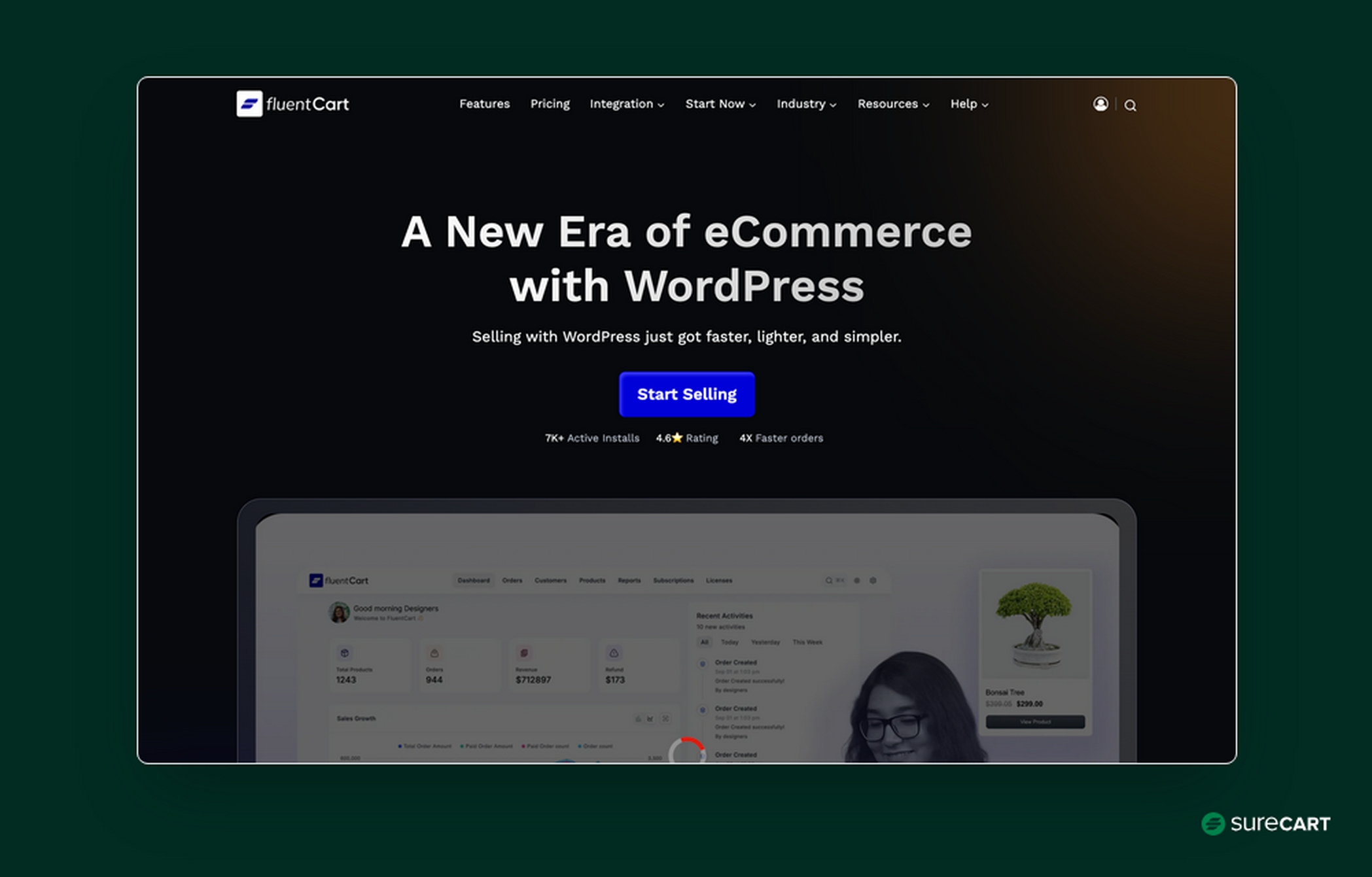
| Free plan at a glance | FluentCart (free) |
|---|---|
| Monthly price | $0 |
| Fee on sales | 0% platform fee; processor fees apply |
| Product limit | Unlimited products, per FluentCart’s developer guide |
| Your own domain | Yes, your WordPress site |
| Digital delivery | Automatic |
| Megan’s fees on $1,000 | $41 (Stripe only) |
| Costs not in that figure | Hosting, domain, maintenance; Pro if she later needs order bumps or licensing |
What it offers. The free version on WordPress.org covers physical and digital products, shipping zones, subscriptions, coupons, Stripe and PayPal, and a mini cart and cart drawer.
What it costs. $0, and FluentCart’s pricing page says it charges “0% transaction fees on every plan, free or Pro.” You still pay for hosting. Pro costs $199 a year for one site at regular pricing.
What it doesn’t offer. Licensing, order bumps, dynamic pricing, and advanced reports, which are Pro features.
Who should consider it. WordPress sellers who want no platform transaction fee. It has fewer WordPress.org ratings than the older plugins here, so its public track record is shorter, which on its own says nothing about quality.
Who should avoid it. Sellers who need order bumps or licensing without paying for Pro.
What Megan has to set up. Install FluentCart; connect Stripe, which is built in; add her 12 candles and the guide as a digital product; set up shipping zones and rates; place a test order before going live. Her domain is already in place.
Megan’s verdict: Yes, on her WordPress site. Physical and digital products are both in the free version.
WordPress.org rating, checked November 26, 2026: 4.5 out of 5 from 47 ratings (38 five-star, 3 one-star); 10,000+ active installations.
4. Easy Digital Downloads (Free Version)
Easy Digital Downloads is primarily designed for digital products. Selling shipped physical products needs the paid Simple Shipping extension, which adds flat-rate shipping and is built for stores that are mostly digital with a few physical items.
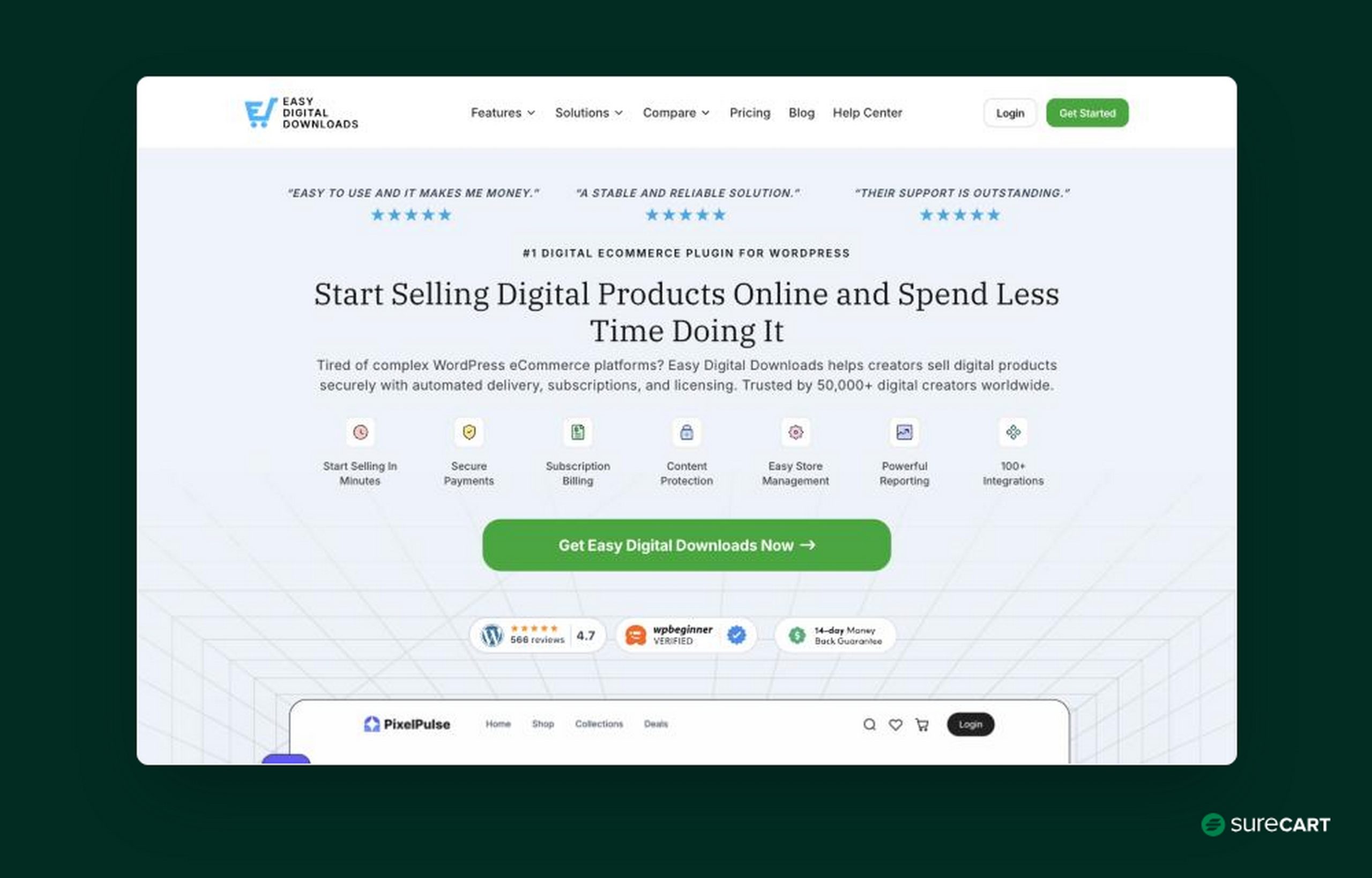
| Free plan at a glance | Easy Digital Downloads (free) |
|---|---|
| Monthly price | $0 |
| Fee on sales | 3% on Stripe and PayPal payments, plus processor fees |
| Product limit | Unlimited products, per EDD’s WordPress.org listing |
| Your own domain | Yes, your WordPress site |
| Digital delivery | Automatic |
| Megan’s fees on $1,000 | $71 ($30 EDD + $41 Stripe) |
| Costs not in that figure | Hosting, domain, maintenance; paid Simple Shipping for shipped goods; an Extended pass to remove the 3% fee |
What it offers. Secure, automatic delivery for downloads like software, ebooks, and templates, with Stripe and PayPal built in. Both carry the 3% fee on the free version.
What it costs. $0, plus a 3% fee on Stripe and PayPal payments in the free version. EDD’s Stripe docs say the fee applies to PayPal for Lite users too, and to renewal orders, so switching from Stripe to PayPal doesn’t avoid it. An Extended pass or higher removes it. The Extended pass costs $399 a year at regular pricing (it was on sale for $159.60 when we checked). You only need it if you want the 3% fee gone.
What it doesn’t offer. Built-in shipping on the free version. Simple Shipping is a paid extension and supports flat rates only.
Who should consider it. Digital-only sellers, such as software, ebook, or template creators. For more options in that space, see our guide on where to sell digital products.
Who should avoid it. Stores built mainly around shipped products.
What Megan has to set up. Install EDD; connect Stripe or PayPal; add her 12 candles and the guide as downloads; buy and configure the paid Simple Shipping extension for the candles; place a test order before going live. Her domain is already in place.
Megan’s verdict: No. Her 12 candle listings need shipping without a paid extension, so EDD misses this test. That doesn’t mean it can never ship anything.
WordPress.org rating, checked November 26, 2026: 4.7 out of 5 from 594 ratings (540 five-star, 35 one-star); 40,000+ active installations.
5. Payhip (Free Forever Plan)
Payhip is a hosted store builder that can also embed on a site you already have.
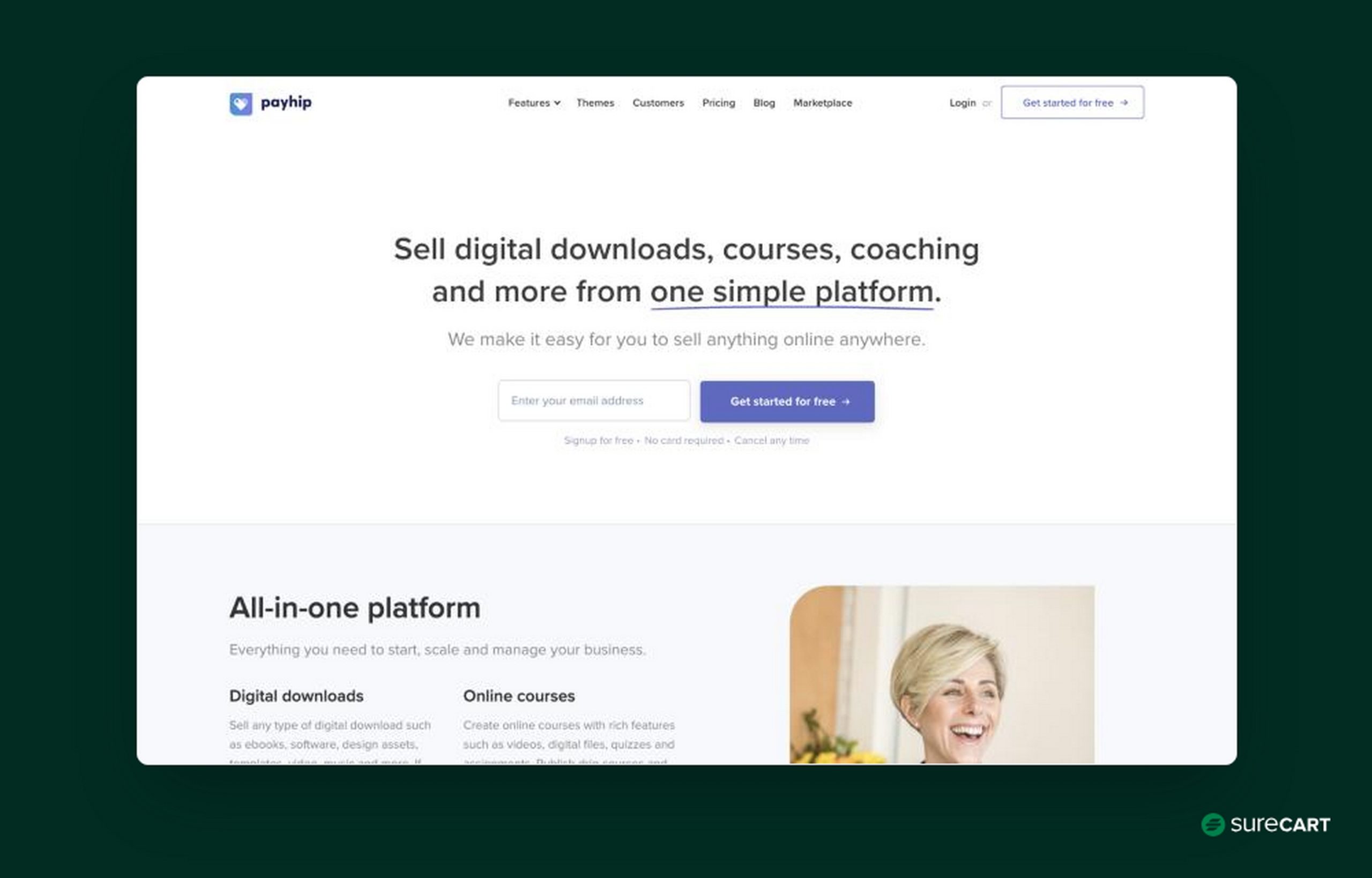
| Free plan at a glance | Payhip Free Forever |
|---|---|
| Monthly price | $0 |
| Fee on sales | 5% Payhip fee, plus Stripe or PayPal fees |
| Product limit | Unlimited products on every plan |
| Your own domain | Yes, free to connect |
| Digital delivery | Automatic |
| Megan’s fees on $1,000 | $91 ($50 Payhip + $41 Stripe) |
| Costs not in that figure | Domain registration if she wants a new one; hosting is included |
What it offers. Digital and physical products, all features on every plan, free custom domain connection, and embeddable buy buttons for digital and physical products.
What it costs. $0 a month, plus a 5% fee per sale, according to Payhip’s pricing page. Stripe and PayPal charge their standard rates on top. Plus costs $29 a month with a 2% fee, and Pro costs $99 a month with no Payhip fee.
What it doesn’t offer. A store inside WordPress. Payhip supports courses, coaching, and memberships on its own platform, but its embedded buy buttons are limited to physical and digital products.
Who should consider it. Sellers with no website, or a non-WordPress site, who want a hosted store or buy buttons.
Who should avoid it. Higher-volume sellers, since 5% is the highest platform fee in this comparison.
What Megan has to set up. Create a Payhip account; connect Stripe or PayPal; add her 12 candles as physical products and the guide as a digital product; set shipping rates; connect her domain or a subdomain to the Payhip store, or embed buy buttons on her WordPress pages; place a test order before going live.
Megan’s verdict: Yes, hosted by Payhip, at the highest fee in the test: $91 a month. She’d manage products and orders in Payhip, not in WordPress.
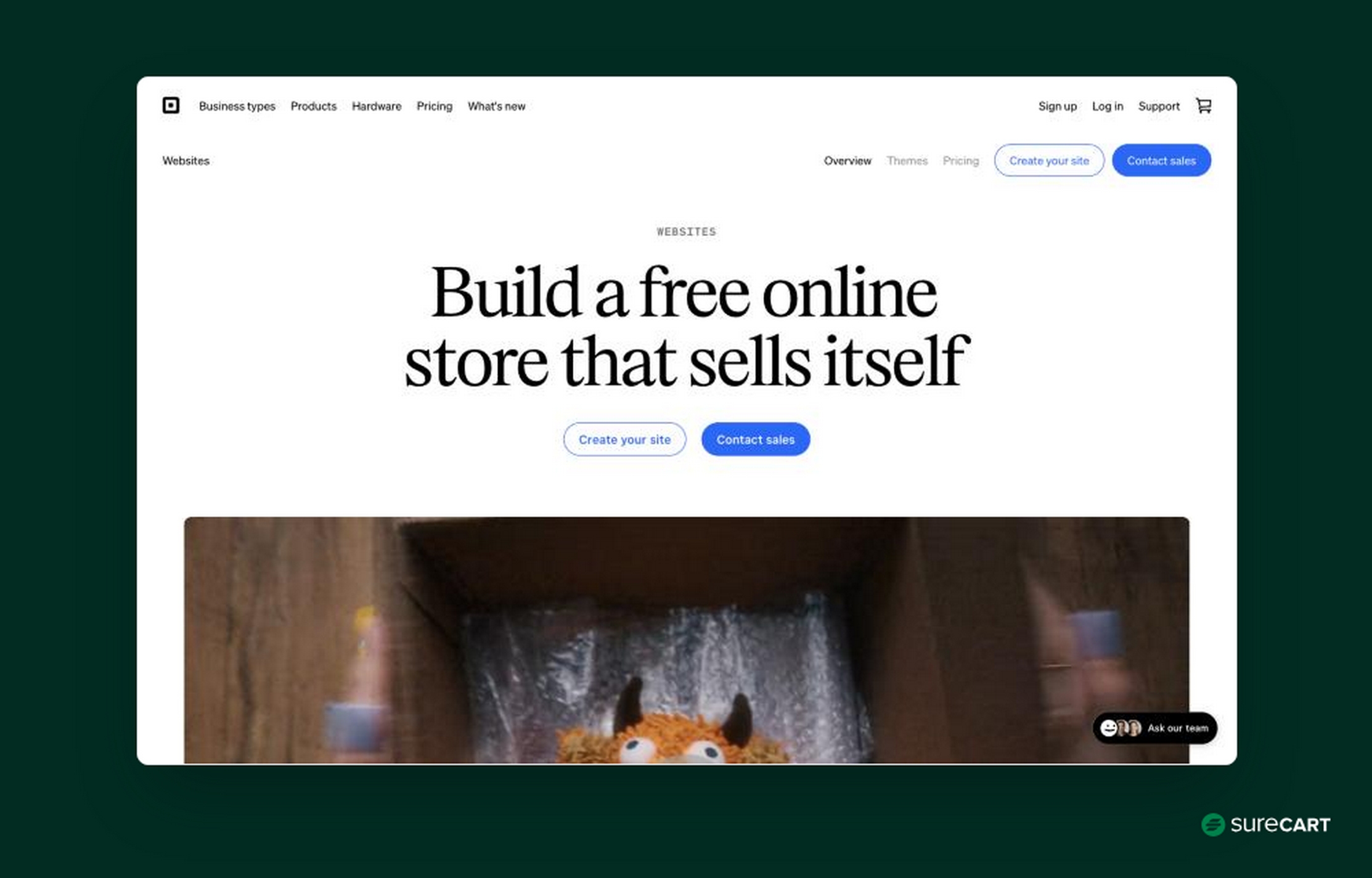
6. Square Online (Square Free)
Square Online is Square’s hosted website builder, and Square is both the store and the payment processor. It gives you a whole hosted store rather than a cart you add to an existing site.
| Free plan at a glance | Square Free |
|---|---|
| Monthly price | $0 |
| Fee on sales | No separate platform fee; 3.3% + 30¢ per online card payment |
| Product limit | Not stated |
| Your own domain | No |
| Digital delivery | Manual (you send the file) |
| Megan’s fees on $1,000 | $45 (Square’s 3.3% + 30¢) |
| Costs not in that figure | None required on the free plan; a paid plan for a custom domain |
What it offers. A website builder, pickup, local delivery, and shipping, plus syncing with Square’s point of sale.
What it costs. $0 a month, with online card processing at 3.3% + 30¢ on Square Free, per Square’s pricing page. Square’s online-store plans page still shows 2.9% + 30¢ for the free plan, so check the rate in your account; we used the pricing page’s figure. Square Plus costs $49 a month and lowers the online rate to 2.9% + 30¢.
What it doesn’t offer. A custom domain on the free plan; Square’s plans page says so directly. Digital items can be listed, but Square’s help docs say you send the file to the customer yourself.
Who should consider it. Businesses already using Square to sell in person.
Who should avoid it. Sellers who need their own domain on a free plan or automatic downloads.
What Megan has to set up. Create a Square account (payments are built in); build the site in Square’s website builder; add her 12 candles and the guide as a non-physical item; set up shipping; place a test order before going live. She can’t connect her domain on the free plan, and she’d send the guide by hand after each order.
Megan’s verdict: No. No custom domain, and she’d email every guide by hand.
7. Big Cartel (Gold Plan)
Big Cartel is a hosted store builder for artists and makers.

| Free plan at a glance | SureCart Launch |
|---|---|
| Monthly price | $0 |
| Fee on sales | 0% Big Cartel fee; processor fees apply |
| Product limit | 5 product listings; each listing can have size and color variants |
| Your own domain | No (Platinum feature) |
| Digital delivery | Not available on Gold |
| Megan’s fees on $1,000 | $41 (Stripe only), if her store fit the plan |
| Costs not in that figure | Platinum at $15 a month for more listings, digital products, and a custom domain |
What it offers. On the Gold plan: 5 product listings, 1 image per product, size and color variants, card and PayPal payments, sales tax tools, and 1 template.
What it costs. $0, with 0% transaction fees from Big Cartel. Processor fees still apply. Platinum costs $15 a month after a 7-day trial.
What it doesn’t offer. Digital products, custom domains, or more than 5 product listings. Variants such as sizes and colors sit inside a listing, so one candle offered in three sizes uses one listing, not three.
Who should consider it. An artist or maker testing a small product line, like a handful of prints or shirts, who’s fine with a Big Cartel address.
Who should avoid it. Anyone with more than five product listings or any digital files.
What Megan has to set up. Create a Big Cartel account; connect Stripe or PayPal; add her products; set shipping rates; place a test order before going live. She’d stop at five listings, couldn’t add the guide as a digital product, and couldn’t connect her domain on Gold.
Megan’s verdict: No. She has 12 product listings and a digital guide. Even if she grouped scents as variants of fewer listings, Gold still has no digital products and no custom domain.
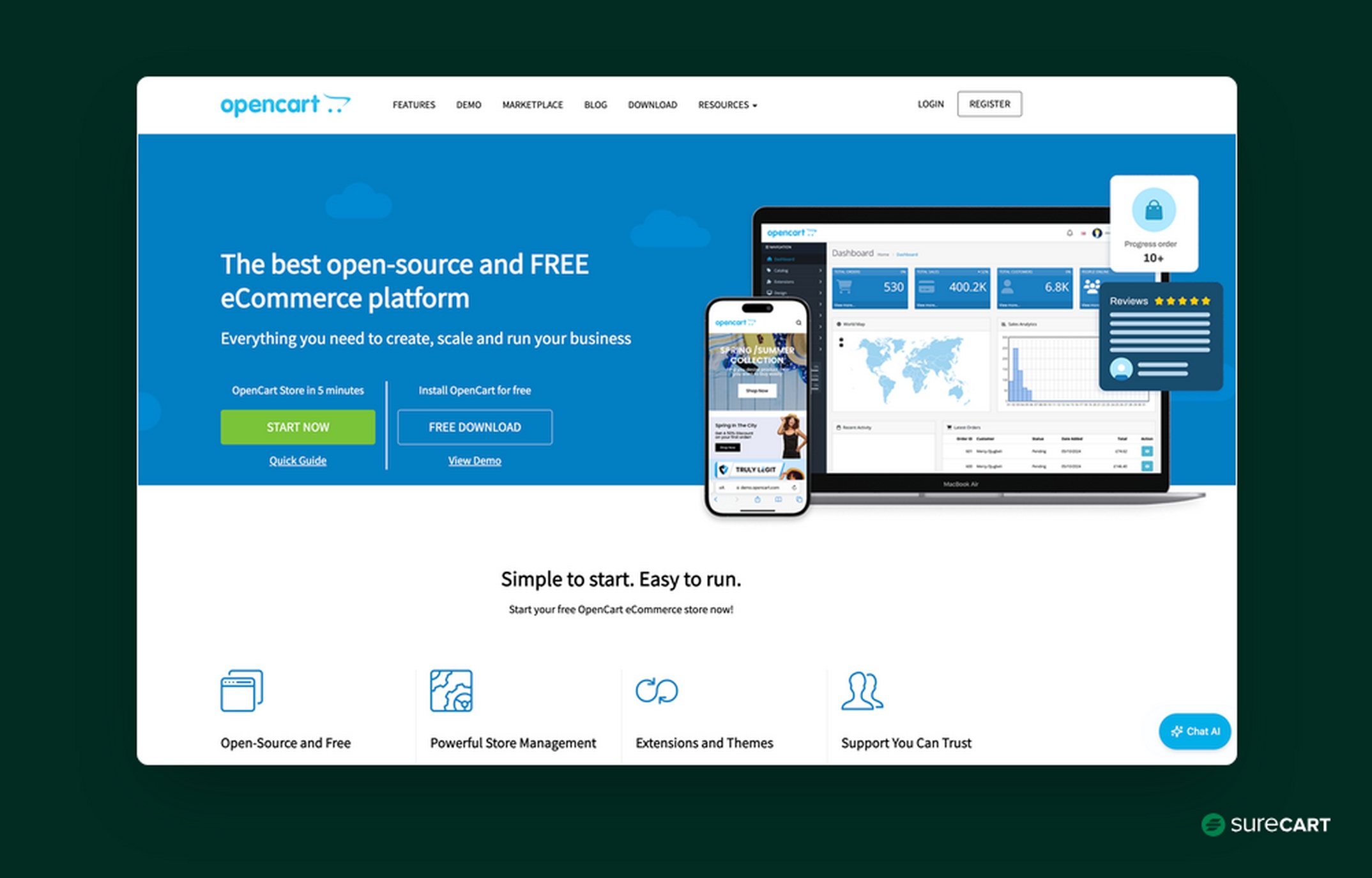
8. OpenCart
OpenCart is a self-hosted ecommerce platform: a complete store you install on your own hosting. It runs as a separate store, not a cart added to an existing WordPress site.
| Free plan at a glance | SureCart Launch |
|---|---|
| Monthly price | $0 (free download) |
| Fee on sales | No platform fee; processor fees apply |
| Product limit | Unlimited products, per OpenCart’s features page |
| Your own domain | Yes, your WordPress site |
| Digital delivery | Automatic once the order reaches Complete |
| Megan’s fees on $1,000 | $41 (Stripe only) |
| Costs not in that figure | Hosting, domain, SSL, security updates, backups; a paid Stripe extension if she runs OpenCart 4.x |
What it offers. Free downloads and updates with no monthly fees, full code access, and downloadable products linked under Catalog > Downloads. OpenCart’s docs say customers download from their account once the order status is Complete.
What it costs. $0 for the software, plus hosting, a domain, and your time. There’s no official Stripe extension from OpenCart or Stripe, so card payments depend on a third-party one. On OpenCart 3.x, HuntBee’s Stripe Checkout extension is free, is listed on the OpenCart Marketplace, supports versions 3.0.0.0 to 3.0.5.1, and updates the order status by webhook after payment. On the newer 4.x branch, we couldn’t verify a free Stripe extension that does the same, so budget for a paid third-party extension and confirm it supports your exact version before you buy.
What it doesn’t offer. Managed hosting on the free download, or a downloads page for guest buyers, since downloads sit in the customer account.
Who should consider it. Developers, or sellers with technical help, who want full control. Installing, securing, updating, and backing up the store are all your job.
Who should avoid it. Non-technical sellers.
What Megan has to set up. Get hosting, usually on a subdomain like shop.yourdomain.com, with SSL; install OpenCart 3.x; install HuntBee’s free Stripe Checkout extension and add its webhook in Stripe; add her 12 candles and link the guide under Catalog > Downloads; set up shipping methods and geo zones; place a test order and check that it reaches Complete so the download unlocks. After launch, she handles updates, backups, and security for a second site next to WordPress.
Megan’s verdict: Conditional, as a separate store. On OpenCart 3.x with HuntBee’s free extension, it passes all three requirements. On OpenCart 4.x, she’d likely need a paid Stripe extension, which fails this test’s no-paid-extensions rule.
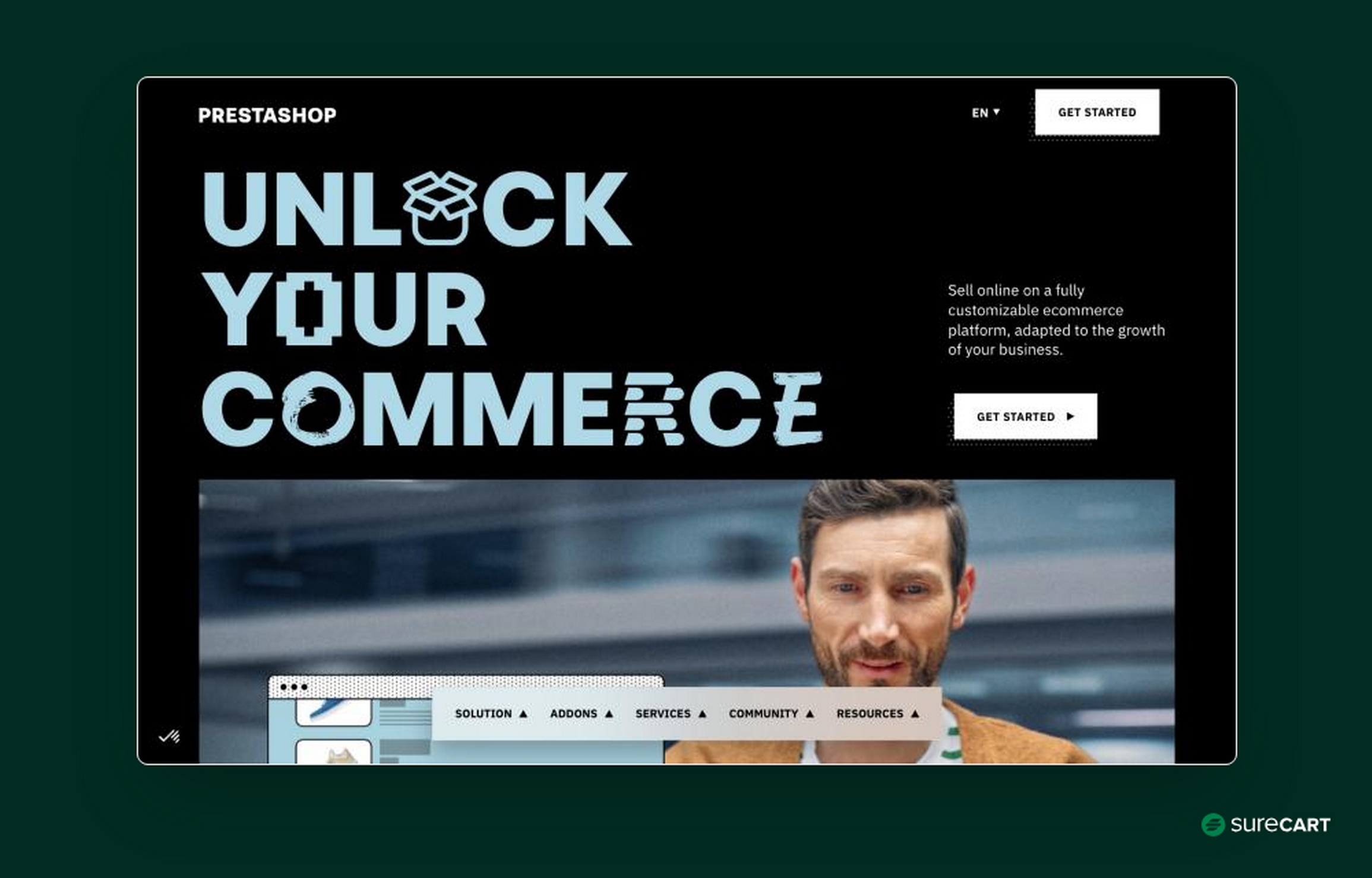
9. PrestaShop (Classic, Self-Hosted)
PrestaShop is a self-hosted ecommerce platform. It runs as a separate store, not a cart added to an existing WordPress site. Classic is the free download you host yourself; Hosted is a paid subscription from €24 a month, excluding VAT and billed yearly, that includes hosting and support.
| Free plan at a glance | SureCart Launch |
|---|---|
| Monthly price | $0 (free download) |
| Fee on sales | No platform fee; processor fees apply |
| Product limit | Unlimited products and categories, per PrestaShop’s platform page |
| Your own domain | Yes, on your own hosting |
| Digital delivery | Automatic email at Payment accepted |
| Megan’s fees on $1,000 | $41 (Stripe only) |
| Costs not in that figure | Hosting, domain, SSL, security updates, backups, any paid modules |
What it offers. Virtual products with a downloadable file of up to 40 MB, emailed to the customer once the order reaches Payment accepted. You also get full code access and room to customize with themes and modules.
What it costs. Hosting, a domain, any paid modules, and maintenance. Stripe connects through the official Stripe module, and Stripe’s FAQ says the module “does not result in any additional fees.”
What it doesn’t offer. Managed hosting on Classic. As with OpenCart, the technical work is yours.
Who should consider it. Sellers with technical help who want a self-hosted store with downloadable products, full code access, and room to customize.
Who should avoid it. Non-technical sellers who want something free and managed.
What Megan has to set up. Get hosting, usually on a subdomain like shop.yourdomain.com, with SSL; install PrestaShop; install and connect the official Stripe module; add her 12 candles and the guide as a virtual product; set up carriers and shipping zones; place a test order before going live. After launch, she handles updates, backups, and security for a second site next to WordPress.
Megan’s verdict: Yes, as a separate store. It passes all three requirements, but she’d run her sales on a second system outside her WordPress site.
Carts That Look Free but Aren’t
Two names show up on many free-cart lists but have no free store plan for new sign-ups. Older roundups still list Ecwid as free, so check the vendor’s own pricing page before you sign up, because free plans change.
| Name | What the vendor’s page shows |
|---|---|
| Ecwid | No free plan for new sign-ups. Starter is the lowest plan at $5 a month, for up to 10 products. No transaction fees on any plan. |
| Shopify | No free store plan. Basic costs $39 a month billed monthly, or $29 a month billed yearly. The trial is 3 days free, then $1 a month for 3 months. A $0 Agentic plan is for selling in AI channels, not a website storefront. |
If you’re weighing Shopify against WordPress options, our Shopify alternatives guide compares real pricing and fees.
How to Choose a Free Cart for Your Website
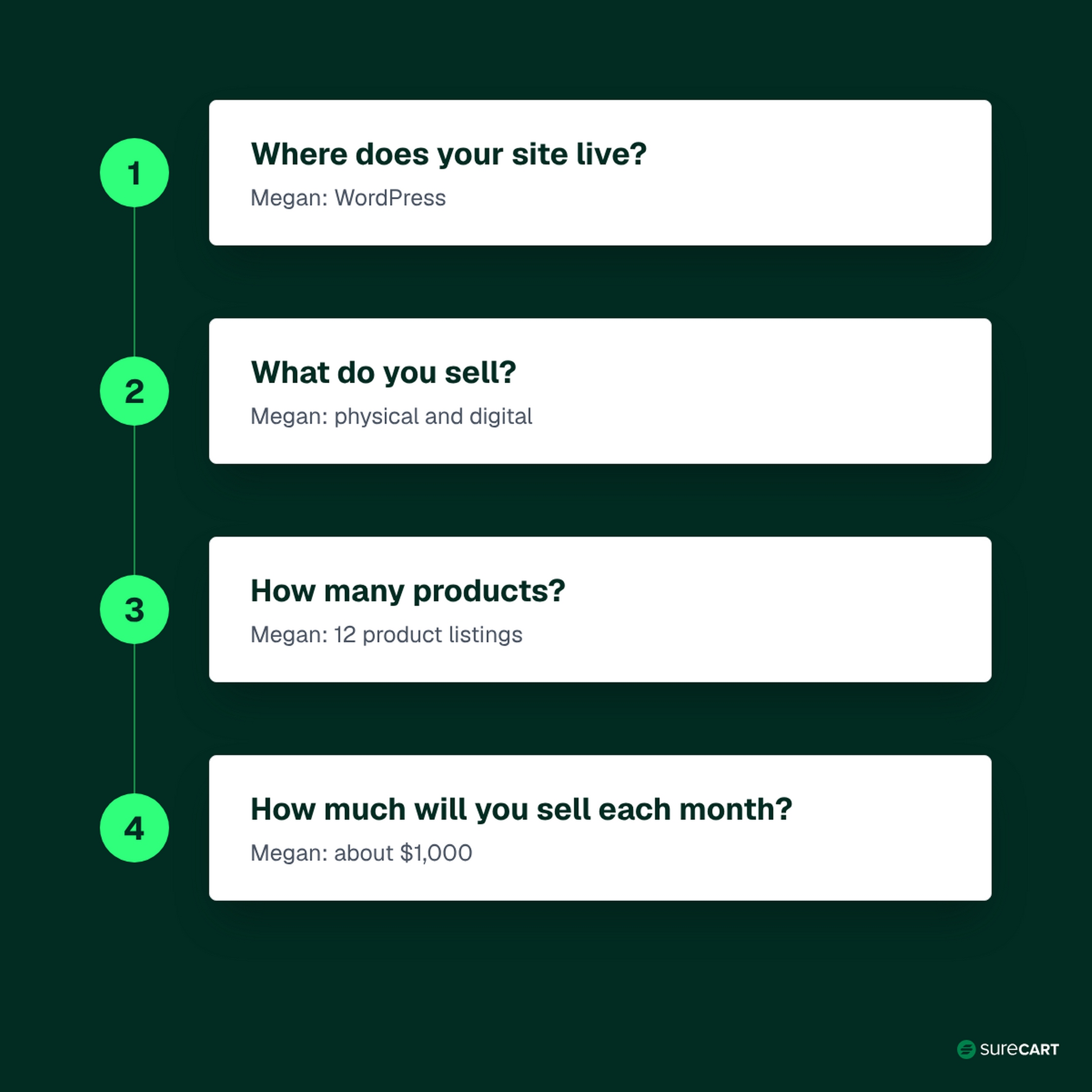
Four questions narrow the list fast. Here’s how each one plays out for Megan.
1. Where does your site live? If you already run WordPress, a plugin keeps everything on the site you have. Megan’s site is on WordPress, so SureCart, WooCommerce, and FluentCart are the natural fits. If you’re starting from scratch, our guide on how to make an ecommerce website with WordPress covers the setup.
2. What do you sell? Physical products need shipping; digital products need automatic delivery. Megan needs both, which rules out EDD’s free version and Square Free.
3. How many products? Free hosted plans often cap your catalog. Big Cartel Gold stops at five product listings, and Megan has 12.
4. How much will you sell each month? A percentage fee costs little while sales are small and more as they grow. At $1,000 a month, Megan pays $29 in platform fees on SureCart Launch, $50 on Payhip, and no platform fee on WooCommerce or FluentCart, though those two leave hosting and add-ons to her. Processor fees apply on all of them.
For a deeper look at the WordPress options alone, see our roundup of the best WordPress ecommerce plugins.
Carts to look at, by seller profile
| You are | Carts to look at | Why |
|---|---|---|
| A beginner with no website yet | Payhip; Big Cartel Gold if you have five or fewer product listings | Hosted, $0 a month, nothing to install |
| Running an existing WordPress site | SureCart, WooCommerce, FluentCart | Install a plugin on the site you already have |
| Selling digital downloads only | SureCart, WooCommerce, FluentCart, EDD, Payhip; OpenCart and PrestaShop Classic if you’re comfortable running a self-hosted store | All deliver files automatically on their free versions |
| Not wanting to manage hosting | Payhip, Square Online, Big Cartel | The vendor hosts the store; Square Free and Big Cartel Gold have no custom domain |
| Wanting complete control | OpenCart, PrestaShop Classic | Full code access on your own server, with the upkeep that comes with it |
When a Free Plan Stops Being the Cheapest Option
A percentage fee costs least while sales are small; past a certain level, a flat yearly price costs less.
Comparing SureCart’s platform fee alone, the 2.9% Launch fee passes the regular Pro price for one store, $199 a year, at about $572 a month in sales. That’s $199 divided by 0.029, then divided by 12. Megan, at $1,000 a month, would pay about $348 a year in Launch fees, against $199 a year for Pro.
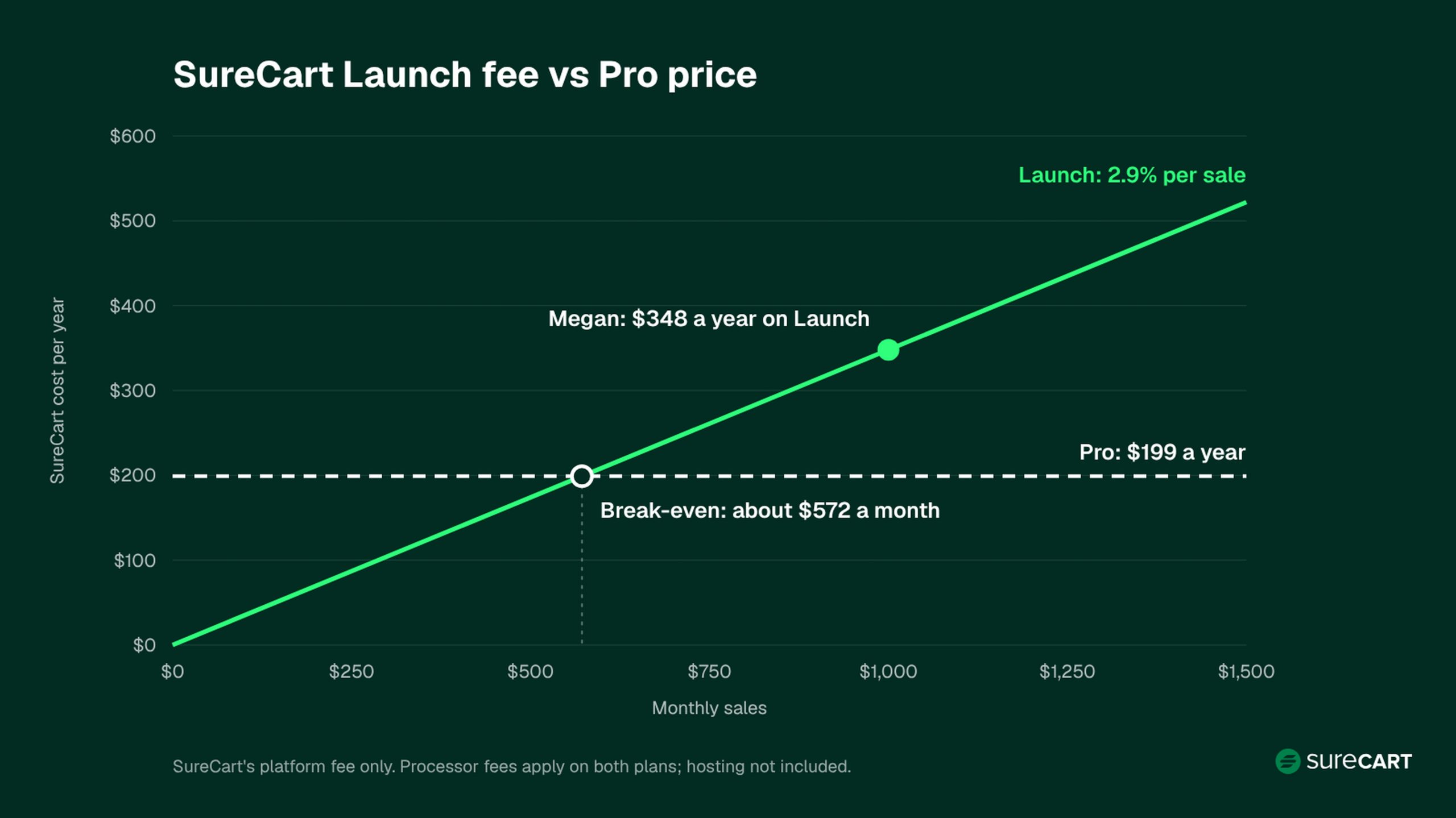
| Monthly sales | SureCart Launch fees per year (2.9%) | SureCart Pro, 1 store, per year |
|---|---|---|
| $300 | $104.40 | $199 |
| About $572 | About $199 | $199 |
| $1,000 | $348 | $199 |
| $3,000 | $1,044 | $199 |
These figures compare SureCart’s own fees only. Processor fees apply on both plans, and hosting is separate. They’re examples of how the two fee structures compare, not a recommendation to switch at any particular level.
Other free plans in this comparison work the same way. Payhip charges 5% on Free and 2% on Plus at $29 a month. Square Free charges 3.3% + 30¢ online, while Square Plus charges 2.9% + 30¢ at $49 a month. EDD’s 3% fee goes away with an Extended pass.
Start Free and Switch to Pro Later. Launch costs $0 a month plus a 2.9% fee on each sale. When your sales pass the point where a flat price costs less than that fee, Pro removes it. Processor fees apply on both plans. Compare SureCart plans
Why SureCart Is Worth a Look If Your Site Runs on WordPress
We built SureCart, so here’s the honest version of the case. If WooCommerce and FluentCart take no platform fee, why would you choose a cart that does?
First, some tools that cost extra elsewhere in this comparison come with Launch. On WooCommerce, subscriptions are a $279-a-year extension. On FluentCart, order bumps and licensing are Pro features. SureCart Launch includes subscriptions, abandoned checkout recovery, order bumps, and upsells without those specific paid upgrades.
Second, SureCart’s cloud platform handles payment operations, subscriptions, taxes, and checkout processing, so that work doesn’t run on your WordPress server. Card transactions are still processed by your connected payment gateway, which charges its own fees.
Third, the platform fee is predictable and removable: Launch charges 2.9% per sale, while Pro removes the SureCart platform fee. Payment processor fees still apply on both plans.
The trade-off is real, though. If you only need a basic cart and you sell at higher volume, a no-fee plugin may cost you less.
Conclusion
Free means no monthly fee, so judge a free cart by what it takes from each sale, the limits on its free plan, what you’ll have to run yourself, and whether it works on your own site. That’s the lens we used for every option in this comparison of free shopping cart software.
For Megan, five of the nine carts can run her store on their free plans, at transaction-related fees from $41 to $91 a month on $1,000 in sales, before hosting and upkeep. Three of them (SureCart, WooCommerce, and FluentCart) work on the WordPress site she already has. Payhip hosts the store for her. PrestaShop means building and maintaining a separate store, and OpenCart can too, but only on version 3.x with a free Stripe extension. The right pick for you depends on the same few questions: where your site lives, what you sell, how many products you have, and how much you expect to sell.
Build Your WordPress Store on SureCart Free. Add products, a cart, and checkout to your WordPress site on the Launch plan: $0 a month, with the listed ecommerce features included, and a 2.9% fee only when you make a sale, on top of your payment processor’s fee. No credit card required. Start selling with SureCart
FAQ
Is there a truly free shopping cart for my website?
Yes, for the software or the plan. WooCommerce is a free WordPress plugin, Payhip has a free hosted plan, and OpenCart is a free download. But every cart that takes card payments pays a payment processor, and free hosted plans carry limits like product caps or no custom domain.
What’s the catch with free shopping cart software?
Usually one of three things. Some carts take a fee on each sale, like SureCart Launch, EDD’s free version (on both Stripe and PayPal), or Payhip. Some cap what you can do, such as products, images, or features. Others leave costs with you, like hosting, updates, and security.
Can I add a free shopping cart to my existing website?
On WordPress, yes: install a plugin like SureCart, WooCommerce, or FluentCart. On other sites, Payhip offers embeddable buy buttons for digital and physical products. Square Free and Big Cartel Gold are hosted stores, and neither supports a custom domain on its free plan.
Do free shopping carts charge transaction fees?
Some do: SureCart Launch charges 2.9%, EDD’s free version charges 3% on Stripe and PayPal payments, and Payhip Free charges 5%. WooCommerce, FluentCart, Big Cartel, OpenCart, and PrestaShop don’t. Square has no separate platform fee, but its free plan charges 3.3% + 30¢ per online card payment. Processor fees apply either way.
Which free cart handles both physical and digital products?
In this comparison, SureCart, WooCommerce, FluentCart, and Payhip do on their free plans. PrestaShop Classic does as a separate self-hosted store. OpenCart does on version 3.x with a free third-party Stripe extension; on 4.x you’d likely need a paid one. Big Cartel Gold and Square Free don’t deliver files automatically, and EDD needs a paid extension for shipped goods.
Is open-source shopping cart software really free?
The download is. OpenCart and PrestaShop Classic cost nothing to install, but you pay for hosting and a domain, and you handle security updates, backups, and any paid modules or extensions yourself.