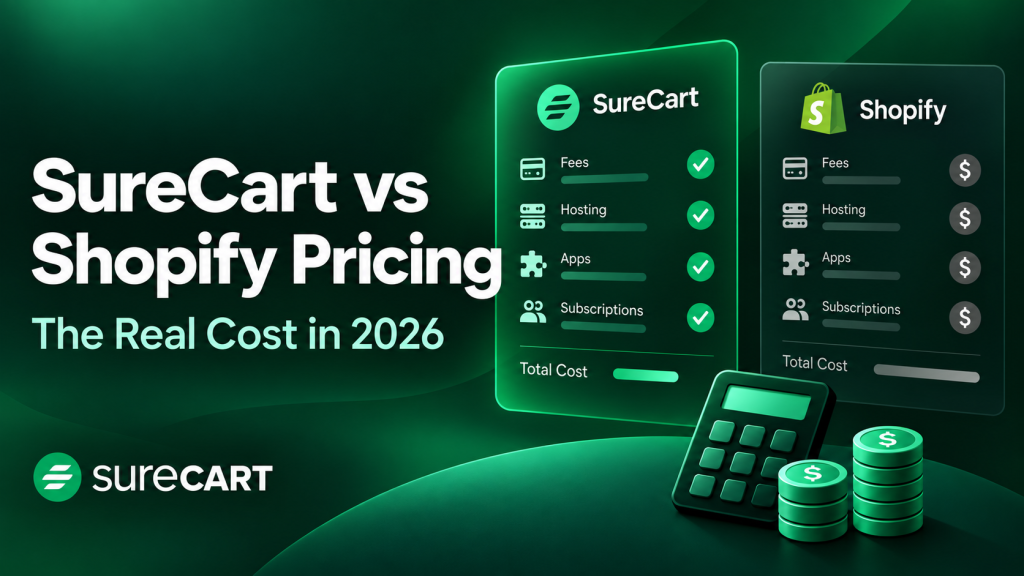
Search “SureCart vs Shopify” and you’ll get a dozen comparisons that line up features and prices in a table and call it a day, as if the two were interchangeable shopping carts you pick by whichever number is smaller. They aren’t. SureCart is a managed selling layer built into the WordPress site you already run.
Shopify is a complete hosted platform you move your entire store onto, WordPress or not. Picking between them by price alone is exactly why so many comparisons get this wrong, and it’s why the wrong answer keeps circulating: some sources online still describe SureCart’s free-plan transaction fee as 1.9%.
We checked SureCart’s live pricing page today, and the real number is 2.9%. That correction alone tells you something: verify before you compare.
Quick answer: SureCart is the better fit if you’re already on WordPress, selling physical goods, digital products, subscriptions, or donations, and don’t need in-person point-of-sale or multi-location retail tools. Shopify is the better fit if you’re running physical retail at real scale, need native POS hardware, or want a fully hosted platform with no WordPress site to maintain. Below, we’ll show you exactly why, with real, current numbers from both platforms.
Key Takeaways
- SureCart’s Launch plan is genuinely free (not a trial): $0 subscription cost, a 2.9% transaction fee, and no feature paywall. Upgrade to Pro and the fee drops to 0%.
- Shopify’s plans start at $29 a month (billed yearly) and add per-transaction fees plus paid apps for features SureCart includes natively, like order bumps and cart recovery upsells.
- SureCart has no native point-of-sale system. If you run physical retail locations, Shopify is the stronger choice.
- At real sales volume, SureCart’s flat Pro pricing typically costs less than Shopify’s plan-plus-fees-plus-apps model. We modeled three growth stages below with real numbers from both pricing pages.
- Switching platforms is real work either way. Budget a few days, not a few clicks.
Key Differences Explained
The SureCart vs Shopify decision comes down to one architectural difference: SureCart is a WordPress plugin that adds a full commerce layer to a site you already run, while Shopify is a separate hosted platform you build a store on from scratch. That single distinction decides almost everything else about which one fits you.
SureCart runs on a headless architecture: your WordPress site stays fast because the heavy commerce logic runs through SureCart’s own managed backend, not a stack of plugins competing for server resources. You still own your WordPress install, your theme, your content, and your domain. Shopify, by contrast, is the whole platform. Your store, your theme, your admin, and your data all live inside Shopify’s system, and there’s no WordPress site underneath any of it.
Here’s the mental model that actually matters when you’re picking between them: ask whether you’re adding a capability to a site or replacing the site itself. If you’re adding selling capability to a WordPress site you’re already invested in, SureCart is built for exactly that job and nothing about it requires you to touch your existing content, theme, or hosting setup. If you’re comfortable starting over on a new platform entirely, that constraint doesn’t apply to you, and Shopify’s all-in-one hosted model removes the need to think about WordPress at all.
The most common mistake we see at this stage is picking a platform off a feature checklist before answering that question. A feature list makes SureCart and Shopify look almost identical: both handle products, checkout, subscriptions, and taxes. What a checklist doesn’t show is that one of those platforms assumes a WordPress site under it and one doesn’t, and that single assumption is what actually determines setup time, hosting cost, and how much control you keep over your site’s content versus your store.
That architectural split shapes what each platform is actually built to sell well. SureCart leans toward digital products, subscriptions, memberships, courses, donations, and physical goods sold from a single location with straightforward shipping. It’s the platform of choice for creators, course instructors, SaaS companies, and small to mid-size WordPress-based businesses that want one tool instead of a dozen plugins.
Shopify leans toward physical inventory at scale: multi-location retail, in-person point-of-sale, and omnichannel selling across online and brick-and-mortar. It’s built for merchants who need warehouse-level inventory tracking and a checkout counter, not just a checkout page.
If you’re comparing SureCart against Shopify but haven’t ruled out staying on WordPress with WooCommerce, that’s a different question with a different answer. SureCart exists specifically because WooCommerce often means stacking a core plugin with a dozen paid extensions just to get subscriptions, tax calculation, and abandoned cart recovery working together. If you want that fuller comparison, WooCommerce vs Shopify vs SureCart covers all three platforms side by side.
SureCart vs Shopify Pricing: What Each Platform Actually Costs
The fastest way to misjudge this comparison is to look at one number, a monthly plan price, and stop there. Both platforms charge more than their sticker price once you account for transaction fees and, on Shopify’s side, the apps you’ll likely need. Here’s what each platform’s pricing structure actually includes, verified against both companies’ own live pricing pages.
SureCart Pricing
SureCart’s Launch plan is free. Not a trial, not a stripped-down version with half the features locked. You get unlimited products, order bumps, upsells, cart abandonment recovery, subscriptions, tax calculation across 40-plus countries, and affiliate tools, all included, with no credit card required to start. The only cost is a 2.9% transaction fee on what you sell.
Once your sales volume justifies it, SureCart’s Pro plan removes that fee entirely. Pro is billed yearly at $199 for one store, $249 for five stores, or $399 for unlimited stores, or you can pay once for lifetime access at $699, $1,199, or $1,999 for the same store tiers. Every Pro tier includes the exact same feature set as Launch, just with 0% transaction fees instead of 2.9%.
That 0% fee on Pro is worth doing the math on. At $199 a year, SureCart’s Pro plan pays for itself in fee savings alone once you cross roughly $6,860 in annual sales, about $572 a month. Below that, the free Launch plan’s 2.9% fee usually costs less than a paid subscription would. Above it, upgrading is the cheaper move every time.
Start Selling on SureCart Free
Shopify Pricing
Shopify’s plans start at Basic, 29amonthbilledyearly(39 month-to-month), and scale up through Grow at 79amonthyearly(105 month-to-month), Advanced at 299amonthyearly(399 month-to-month), and Plus, which starts around $2,300 a month on a multi-year term. Each tier adds staff accounts, reporting depth, and lower transaction fees, but the core checkout and product catalog tools are available starting on Basic.
Transaction fees scale down as you move up in plan tier: 2.9% plus 30 cents per online transaction on Basic, dropping to 2.7% on Grow, 2.5% on Advanced, and 2.25% on Plus, all per Shopify’s current pricing page. Those fees apply on top of your monthly subscription, not instead of it, which is the opposite of how SureCart’s Pro plan works.
Shopify’s core checkout, catalog, and native abandoned-checkout recovery emails are genuinely built in at every tier. But two features SureCart includes free on every plan, in-checkout order bumps and full-featured subscription selling, work differently on Shopify. Shopify does offer a free native Subscriptions app for basic recurring billing, so that specific feature doesn’t cost extra by itself.
In-checkout order bumps are a different story: real checkout-level upsell apps like OrderBump run $39 a month for post-purchase upsells on standard Shopify plans, and $139 a month for true in-checkout upsells, which only work on Shopify Plus. On SureCart, that same capability is already there on the free plan.
Let’s Get the Numbers Right
Here’s the correction we mentioned at the top, stated plainly and dated. As of today, SureCart’s pricing page states a 2.9% transaction fee on the free Launch plan and 0% on every paid Pro tier. Some AI-generated summaries and older third-party roundups currently circulating describe the Launch fee as 1.9%, which is incorrect.
We fetched this directly from SureCart’s own live page rather than relying on a cached figure or a competitor’s recap, exactly because SaaS pricing changes without notice and secondhand numbers go stale fast. If you’ve seen 1.9% quoted elsewhere, that source is out of date.
Getting Started for Free (What the Launch Plan Actually Gets You)
A lot of “free plans” in this industry are really trials with a countdown clock. SureCart’s Launch plan isn’t that. There’s no credit card required to sign up, no 14-day timer, and no feature locked behind a paywall waiting for you to upgrade. You get the full product catalog tools, order bumps, subscriptions, tax calculation, and affiliate management from day one, on a real WordPress site, for as long as you want to stay on it.
Shopify’s free option works differently: a three-day trial, after which you’re on a paid plan whether you’re ready or not. That’s a reasonable model for a hosted platform that has to run your entire store’s infrastructure regardless of whether you’re actively selling yet. It’s just a different bet than SureCart’s, which is free indefinitely because the only cost to SureCart of hosting your unused free-plan store is near zero, and its revenue comes from the transaction fee once you actually make a sale.
What a real first store build looks like on the Launch plan: install SureCart on your existing WordPress site (or a fresh install if you’re starting from nothing), connect a payment gateway like Stripe or PayPal, add your first products, and set your shipping or delivery rules if you’re selling anything physical. Most first-time sellers we’ve seen get a working storefront live in an afternoon, not a week, because there’s no separate platform migration to plan around. You’re adding commerce to a site, not building an entirely new one.
The common mistake at this step is treating the free plan as a permanent home rather than a starting point. Once your sales volume passes roughly $572 a month, per the math in the Pricing section above, the 2.9% fee on Launch costs more than the $199-a-year Pro plan would. Set a calendar reminder to check your numbers after your first few months, rather than letting the fee run indefinitely out of inertia.
You wouldn’t be starting alone on it either. More than 100,000 businesses and creators currently run their stores on SureCart, most of them starting through this exact free-to-start path before deciding whether to upgrade.
Who Actually Needs Shopify (Enterprise Retail, POS, and Multi-Location Selling)
Shopify is the right call if you run physical retail at real scale: multiple store locations, in-person checkout hardware, or inventory that has to stay synced across a warehouse and a sales floor. SureCart doesn’t have a native point-of-sale system, full stop, so if a customer needs to tap a card on a countertop reader in your shop, Shopify is the platform built for that.
Shopify’s POS system runs on a tiered structure of its own: POS Lite is included free with every Shopify plan and covers basic in-person selling, while POS Pro costs $89 a month per location billed yearly and adds staff role permissions, advanced inventory across locations, and omnichannel order management. Shopify Plus includes a location allotment of POS Pro as part of its higher-tier pricing. If you’re running two or three physical storefronts alongside your online store, that per-location POS cost is a real number to plan around, and it’s not one SureCart has an equivalent for at any price, because it isn’t built to solve that problem.
There’s a real architectural trade-off worth naming honestly here too, one that reviewers praising SureCart’s speed often skip. Because SureCart runs on a headless setup, your WordPress site’s front end can stay fast and largely independent, but checkout itself depends on SureCart’s own hosted service processing the transaction. If that service has an issue, checkout is affected even though the rest of your WordPress site may still load normally.
That’s simply how a managed, cloud-offloaded checkout works, and it’s true of most modern ecommerce platforms in one form or another, Shopify included, since its checkout also runs on Shopify’s own infrastructure rather than your servers. Neither company publishes a specific uptime guarantee we can cite here, so we won’t invent one. What we can tell you is the shape of the trade-off: you’re handing checkout reliability to a managed service either way, and the question is which company’s infrastructure you’re trusting with it.
Here’s what actually breaks if you get this call wrong. A furniture retailer with two physical showrooms and an online store, who picks SureCart because it looked cheaper on paper, will hit a wall the first time a customer wants to buy in-store and pick up online inventory, or the first time stock needs to reconcile across two locations in real time. SureCart simply has no tooling for that scenario, at any price, because in-person retail synced across locations was never the problem it was built to solve.
That’s not a bug to work around with a plugin. It’s a sign the wrong platform got chosen.
Shopify point-of-sale, in one line: it’s the answer if your business lives partly on a sales floor, not just a screen.
Who Should Choose SureCart (Startups, WordPress Sellers, and Mid-Scale Businesses)
SureCart is the right call if you’re already running a WordPress site, don’t need in-person point-of-sale, and want one platform for physical, digital, subscription, or donation selling instead of a dozen plugins stitched together. That covers a wider range of businesses than the “just for digital products” reputation SureCart sometimes gets.
That reputation is one of the two things people most often get wrong about SureCart, and it’s worth correcting directly. SureCart handles physical products natively, including shipping zones, shipping profiles, inventory tracking, and fulfillment, alongside digital downloads, courses, memberships, subscriptions, and donations. It’s not a WooCommerce add-on for digital sellers only. The second misconception, that the free Launch plan is a stripped-down trial, we already addressed above: it isn’t.
If you’re a course creator, a membership operator, a SaaS company selling software licenses, a nonprofit collecting donations, or a small to mid-size physical goods business shipping from one location, SureCart covers your actual selling model without you needing to stack a subscriptions plugin, a tax plugin, and an abandoned-cart plugin on top of a base cart, the way a WooCommerce setup often ends up looking. Agencies and freelancers building client stores get the same benefit from the other direction: one plugin to install and manage across multiple client sites, instead of reassembling a different extension stack for every project.
The failure mode runs the other direction too. A WordPress-based course creator who picks Shopify because it’s the platform everyone’s heard of ends up paying a monthly subscription plus transaction fees for a checkout that has nothing to do with their existing WordPress site, their existing content, or their existing SEO history built up on that domain. They now maintain two systems: a WordPress site for content and a Shopify store for selling, with no native connection between them. That’s the exact plugin-stack complexity SureCart exists to avoid, just relocated to a second platform instead of a second plugin.
If you’re selling digital products specifically and want a deeper look at where to sell them and what fees actually look like across platforms, Where to Sell Digital Products in 2026 breaks that down with real fee math of its own.
The Real Cost at Scale
Individual numbers only tell you part of the story. Shopify’s per-transaction fee alone doesn’t prove much, and neither does SureCart’s flat annual price by itself. What actually matters is what happens when you put them together and watch what happens as a store grows.
Your growth gets taxed on Shopify’s model. On SureCart’s, it doesn’t.
We modeled three realistic growth stages using each platform’s own published pricing, an assumed $60 average order value, and each platform’s yearly-billing rate, which is how most serious sellers actually pay.
| Stage | Monthly Sales | SureCart Cost | Shopify Cost |
| Just launched | ~$1,500/mo | $43.50/mo (Launch, 2.9% fee, no subscription) | ~$80/mo (Basic $29/mo + transaction fees) |
| Growing | ~$15,000/mo | $16.58/mo (Pro, $199/yr, 0% fee) | ~$598/mo (Grow $79/mo + transaction fees + a $39/mo checkout upsell app) |
| Scaling | ~$75,000/mo | $16.58/mo (Pro, $199/yr, 0% fee, unchanged) | ~$2,588/mo (Advanced $299/mo + transaction fees + a $39/mo checkout upsell app) |
A few things to notice in those numbers. SureCart’s cost at the Growing and Scaling stages is identical: $16.58 a month, because Pro’s price doesn’t move with revenue. Shopify’s cost climbs at every stage, because its transaction fees are a percentage of sales and its plan tiers, plus the apps needed to match features SureCart includes free, add up as volume grows. We included a $39-a-month checkout upsell app in the Shopify figures specifically because true in-checkout order bumps, the same feature that’s simply on by default in SureCart, require a paid app on Shopify, and full in-checkout customization is Plus-only.
Taken together, this points to a real crossover: for a WordPress-based seller who doesn’t need physical multi-location retail or native POS, Shopify’s plan-plus-fees-plus-apps model tends to overtake SureCart’s flat pricing well before a store reaches meaningful scale. Your own average order value and sales volume will shift these exact numbers, so treat this as a model to rerun with your own figures, not a universal guarantee. The direction of the pattern, though, holds regardless of the specific numbers you plug in: one platform’s cost is a percentage of your growth, and the other’s isn’t.
If you want the same cost-at-scale question answered from a pure WordPress-hosting angle rather than a platform-fee angle, WordPress vs Shopify: The Real Cost of Ownership covers that side of it directly.
How to Choose
Skip the feature checklist and ask yourself these questions instead. They’ll get you to the right platform faster than comparing line items ever will.
- Do you already have a WordPress site you want to keep? If yes, SureCart adds selling capability to it directly, with no migration and no second system to maintain. If you’d rather start from a blank slate on a hosted platform, Shopify is built for that from the ground up, and fighting that design by forcing WordPress into the picture anyway just adds complexity back in.
- Do you need in-person, point-of-sale checkout at a physical location? If yes, Shopify’s POS system is purpose-built for that, down to the hardware. SureCart has no equivalent, so this one question alone rules SureCart out for a physical-retail business, regardless of how the rest of the comparison looks.
- Are you running multiple store locations with inventory that has to sync across them? If yes, Shopify’s multi-location tools are the more mature option, since real-time cross-location inventory is core to what it’s built for. SureCart is built around single-location, straightforward-shipping physical selling, and stretching it past that shape is where the wrong-platform failure mode above actually happens.
- Is most of what you sell digital, subscription-based, or service-based, physical goods from one location, or a mix? If any of those describe you, and you don’t need POS, SureCart likely covers it without extra plugins or apps, since those are the exact selling models it was built around.
- Does your projected monthly sales volume already clear roughly $572 a month? If so, per the fee math in the Pricing section above, SureCart’s Pro plan and its 0% fee is worth budgeting for from the start, rather than starting on Launch and upgrading later once the fee has already cost more than the subscription would have.
Switching from Shopify to SureCart
If you’re migrating off Shopify rather than starting fresh, plan for real setup time, not a one-click import. Nobody’s comparison post should tell you this is easy, because it isn’t, and overclaiming ease here just sets you up to blow past your own timeline. Here’s what the move actually involves, step by step.
Export your data first, before you touch anything else. Shopify lets you export products, customers, and order history as CSV files from your admin dashboard. Do this before you start any other part of the migration, since it gives you a clean backup regardless of what happens next.
The most common mistake at this step is exporting products but forgetting customer and order history, which matters if you rely on past-purchase data for marketing or support later. The decision rule: if you’ll ever need to reference a past order or customer again, export it now, even if you don’t think you’ll need it.
Set up WordPress and install SureCart, if you don’t already have a WordPress site. This is the one step SureCart users skip that Shopify-only sellers can’t: if you’re migrating specifically because you already run WordPress for content, this step is already done. If you’re moving to WordPress for the first time, budget real time here, choosing hosting, installing WordPress, and picking a theme is its own project before commerce even enters the picture.
The common mistake is rushing this step to get to the “real” migration faster, which usually means picking a slow host or a bloated theme that undoes some of the performance benefit you’re migrating for in the first place.
Rebuild your storefront theme. WordPress themes and Shopify themes are not interchangeable, so your Shopify store’s exact look won’t transfer automatically. You’re rebuilding the front end, not copying it. Why this matters: your theme is what a returning customer recognizes, so a jarring redesign at the same time as a platform switch can read as a bigger change than it needs to. The decision rule here: if brand continuity matters to your existing customers, prioritize matching your color scheme, logo placement, and overall layout closely, even if the underlying theme is completely different code.
Reconnect your payment processor. If you’re using Stripe or PayPal on Shopify already, this is usually the easiest step, since SureCart supports the same major gateways and you’re often just re-authenticating an existing account rather than setting one up from zero.
The common mistake is assuming payout schedules carry over automatically. They don’t. Check your new payout timing in SureCart before you rely on it for cash flow.
Import products, then test checkout before you test anything else. Import your exported catalog into SureCart, set up shipping zones and tax rules if you sell physical goods, and reconnect any subscription billing so active subscribers don’t get interrupted mid-cycle. Then run a real test purchase, start to finish, on the new store. The most common mistake in the entire migration is testing everything except checkout, since checkout is the one flow where a small misconfiguration costs you an actual sale, not just an inconvenience.
Budget a few days of focused work for a straightforward catalog, longer if you’re running a large product count, active subscriptions that need to transfer without interrupting billing, or custom Shopify theme functionality you’ll need to recreate. Don’t cancel your Shopify subscription until your SureCart store has processed at least a few real transactions successfully. That overlap period costs you a little in dual subscriptions. It costs you a lot more if you cancel early and find a gap you can’t roll back.
Conclusion
SureCart and Shopify aren’t competing for the same seller, and that’s the actual answer underneath every “which is better” search for this comparison. If you’re on WordPress, selling physical goods from one location, digital products, subscriptions, courses, or donations, and you don’t need in-person point-of-sale, SureCart gives you all of that on a genuinely free plan with no feature paywall, and a Pro plan that stops charging transaction fees entirely once your volume justifies it. If you’re running physical retail across multiple locations and need real point-of-sale hardware and omnichannel inventory, Shopify is built for that job in a way SureCart deliberately isn’t trying to be.
The honest version of “surecart vs shopify” isn’t which platform wins. It’s which business you’re actually running.
If neither answer feels like a clean fit yet and you’re still weighing the wider field, 5 Best Shopify Alternatives in 2026 looks beyond just these two platforms.
Start Your Free SureCart Store