If you’ve been comparing WooCommerce vs Shopify, you’re asking a fair question. But you’re probably working with an incomplete picture.
WooCommerce gives you flexibility and control. Shopify gives you a clean, hosted setup. Both are proven platforms. But WooCommerce comes with a real plugin maintenance cost, and Shopify charges extra for almost every feature beyond the basics. Most stores end up compromising on one or the other.
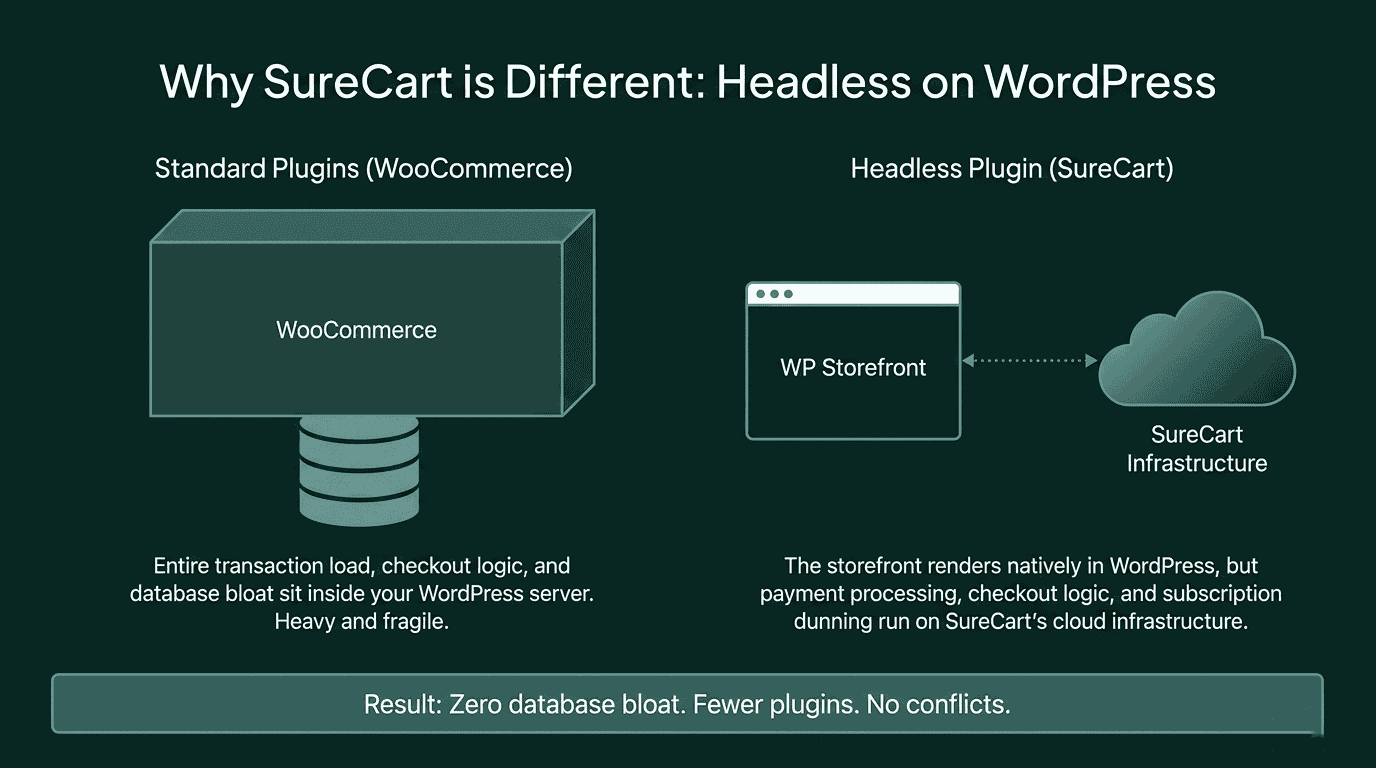
SureCart is a third option built specifically to close that gap. It runs as a headless ecommerce layer on WordPress, meaning you keep full control of your site, without the plugin stack WooCommerce demands or the add-on costs Shopify layers on. Subscriptions, order bumps, cart recovery, dynamic pricing, and affiliate management are included out of the box, on every plan.
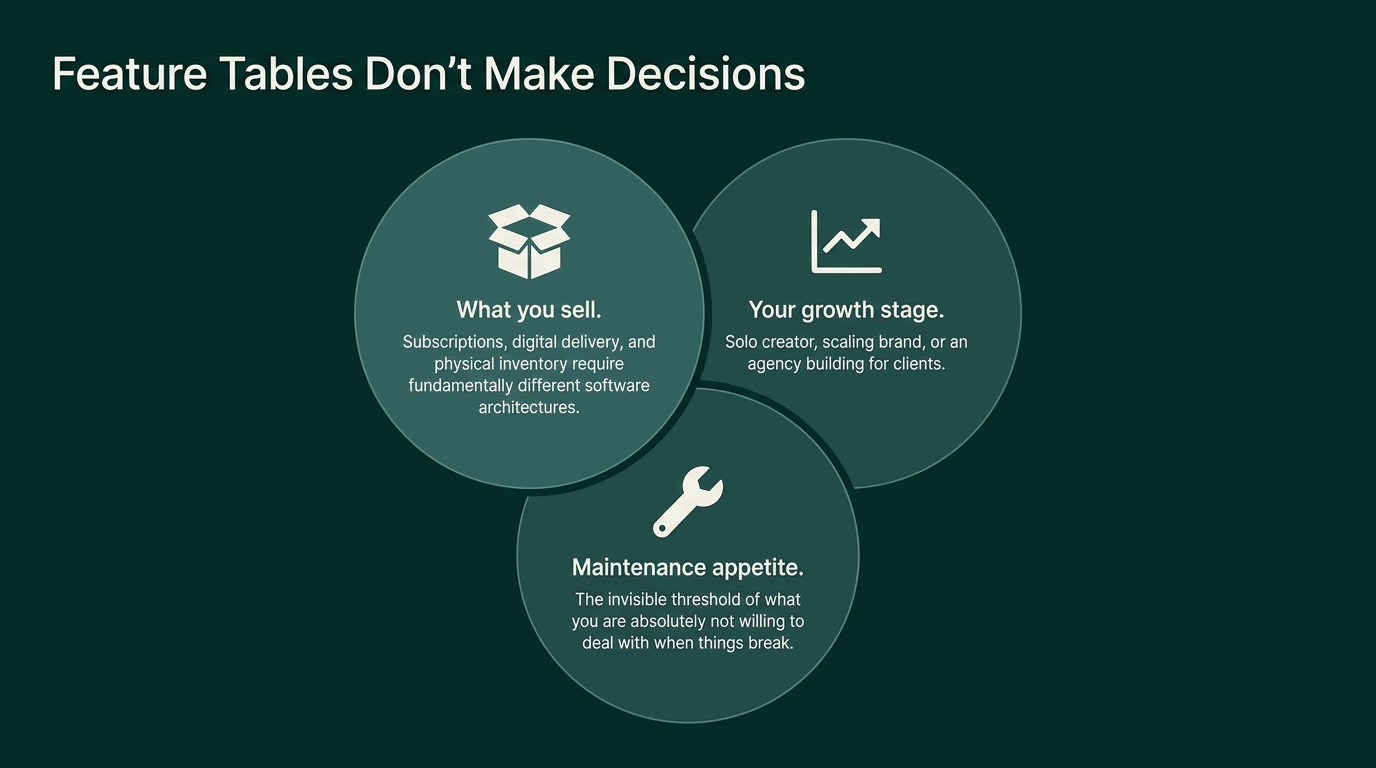
That said, no single platform is the right answer for every store. The right choice depends on three things: what you’re selling, what stage your business is at, and what you’re not willing to deal with. This post covers all three, across all three platforms, so you can make the decision with the full picture in front of you.
What Kind of Store Are You Building?
The platform decision starts here, not with a feature list. Two stores can both be called “online stores” and have completely different needs. A course creator selling a $297 digital product with a payment plan needs a different tool than a skincare brand managing physical inventory across three warehouses.
Selling Digital Products, Courses, or Subscriptions
This profile is common: a solo creator, SaaS founder, or educator selling access to something that doesn’t ship. Maybe it’s a course, a template pack, a software license, or a membership with recurring billing.
For this profile, subscriptions and digital delivery are not nice-to-haves. They are core requirements. Shopify includes basic abandoned cart recovery in all plans, but subscriptions require a separate app install. Shopify does offer a free official subscriptions app, but it works best with Shopify Payments and doesn’t include built-in failed payment recovery. For more complete subscription management, most merchants end up using a paid third-party app. Upsells and order bumps are separate app installs with their own monthly fees.
WooCommerce can do all of this, but each capability comes from a separate paid extension. WooCommerce Subscriptions is a separate annual purchase. Upsells and order bumps typically come from other paid plugins. You end up with a plugin stack before you’ve sold a single thing.
With SureCart, all of this is included in every plan: subscriptions, order bumps, cart recovery, failed payment recovery, and upsells. No add-ons, no separate extensions, no extra monthly fees.
Selling Physical Products With Inventory and Variants
For physical-first stores, the priorities shift. You need reliable inventory management, variant handling (size, color, weight), and shipping integration.
SureCart handles physical products well. Inventory tracking, SKU management, product variants (size, color, material), flat-rate and weight-based shipping, and order fulfillment are all built in. For most physical product stores, including D2C brands, merchandise sellers, and mixed physical-plus-digital setups, SureCart covers the full requirement without any additional plugins.
Where WooCommerce has the edge is for very large or complex physical catalogs that need native real-time carrier rates (UPS, FedEx, DHL), deep third-party fulfillment integrations, or highly customized inventory workflows.
Shopify is the better choice if you want a fully hosted setup with no WordPress dependency and you don’t need subscription billing.
For the majority of physical product stores, SureCart is a fully capable option that also includes the revenue tools (order bumps, upsells, subscriptions) that the other two require add-ons for.
Building Stores as an Agency or Freelancer
If you’re building ecommerce sites for clients, your priorities look nothing like a solo creator’s. You care about post-launch maintainability, how reusable the setup is across client types, and how much support work you’ll be handling six months after handoff.
WooCommerce projects have a reputation for becoming long-term support burdens. Not because WooCommerce is bad, but because plugin stacks grow over time and updates break things. There’s also the operational overhead: every client store is a separate WordPress installation with its own dashboard, its own logins, and its own set of plugin updates to track. Switching between clients means switching between browser tabs, accounts, and admin environments.
Shopify solves the maintenance problem but removes your ability to build on WordPress, which limits your client base to stores that don’t need a WordPress site.
SureCart addresses both problems. Because payments, checkout, and subscription logic run on SureCart’s cloud rather than inside WordPress, the sites stay lighter and there are fewer failure points post-launch. On top of that, agencies can manage all their client stores from a single SureCart account, switching between stores without separate logins or browser sessions. For agencies running multiple client stores, that alone cuts down a meaningful amount of day-to-day overhead.
WooCommerce vs Shopify vs Sureart: Cost Breakdown
The price on the pricing page is never the final number. Every platform has layers. Here’s what each one actually costs once you account for the features most stores need.
How Shopify’s Pricing Actually Works as You Grow
Shopify’s published plan pricing is clean: $39/month for Basic, $105/month for Grow, $399/month for Advanced (all monthly billing; annual billing saves about 25%).
The complication starts when you add real selling tools. On the Basic plan, if you use a payment gateway other than Shopify Payments, Shopify charges an additional 2% per transaction. If your store is doing $5,000/month in sales on that gateway, that’s $100/month, or $1,200 a year, before any apps.
Subscriptions on Shopify require a separate app. Shopify does offer a free official subscriptions app, but it lacks built-in failed payment recovery and has gateway restrictions. Most merchants who rely on subscriptions for revenue end up using a paid app. Upsells and order bumps are also separate app installs. Shopify does include basic cart recovery (email reminders for abandoned checkouts) on all plans, but SMS, retargeting, and multi-channel recovery require additional apps.
Staff accounts are also gated by plan. The Basic plan supports no additional staff accounts. You need the Grow plan at $105/month to add team members.
None of this makes Shopify a bad platform. It makes it an important one to cost out fully before you sign up.
Pro Tip: If you’re on Shopify Basic and using a third-party payment gateway, check your monthly statement against the 2% transaction fee. At some sales volumes, the math favors upgrading plans or switching to Shopify Payments. The comparison is worth running every few months as your revenue grows.
How WooCommerce Costs Add Up
WooCommerce is free to download and install. That part is accurate. But understanding WooCommerce pricing in full means accounting for hosting, extensions, and maintenance costs that don’t appear on any official pricing page. A WooCommerce store that can actually sell subscriptions, recover abandoned carts, and present upsells at checkout is not a free store.
WooCommerce Subscriptions is a separate paid extension, starting at around $279 per year from the official WooCommerce marketplace. Abandoned cart recovery is another extension. Upsells and order bumps typically come from yet another paid plugin. Quality WordPress hosting runs $25 to $100 per month, depending on traffic and performance needs.
A store set up to handle subscriptions and basic revenue tools will typically involve three to five paid extensions and several hundred dollars per year in extension costs alone, before hosting.
The other cost is less visible: maintenance time. Every plugin is a dependency. When WooCommerce updates, plugins that haven’t updated yet can break checkout, payment processing, or subscription logic. Someone has to manage that. For a solo creator, that someone is you.
Pro Tip: WooCommerce’s biggest strength is also its biggest maintenance surface. If your store model fits a standard configuration, that flexibility is a cost rather than a benefit. If your store has genuinely unusual requirements, WooCommerce’s extensibility earns its complexity.
How SureCart Pricing Works
SureCart has a free plan, called Launch, which includes access to all features. The Launch plan charges a 2.9% transaction fee on each sale. Upgrading to a paid pro plan removes that fee entirely.
The notable difference from WooCommerce and Shopify is what’s included at every plan level. Order bumps, upsells, cart abandonment recovery, dynamic pricing, subscriptions, and affiliate management are all part of the platform, not separate purchases.
Because SureCart processes payments and subscriptions on its own cloud infrastructure, your WordPress database doesn’t carry the load of transaction processing. This is what SureCart means by “headless”: the checkout and payment layer lives off your server. Your WordPress site stays fast and the plugin count stays low.
Platform Comparison at a Glance
Shopify | WooCommerce | SureCart | |
|---|---|---|---|
Platform type | Fully hosted SaaS | Self-hosted WordPress plugin | Headless SaaS plugin for WordPress |
Starting price | $39/month | Free (hosting costs extra) | Free plan available (hosting costs extra) |
Transaction fees | 2% per transaction | None from WooCommerce | 2.9% on Launch plan; none on pro plans |
Subscriptions | Free app available (limited; no built-in dunning) | Requires paid extension | Built in, all plans (includes dunning) |
Order bumps + cart recovery | Cart recovery included; order bumps require apps | Requires separate extensions | Built in, all plans |
Dynamic pricing | Requires app | Requires plugin | Built in, all plans |
Affiliate management | Requires app | Requires plugin | Built in, all plans |
Best suited for | Physical-first stores, non-WordPress users | Complex/custom stores with dev resources | WordPress sellers: digital, physical, subscriptions, D2C |
Three Situations Where Each Platform Makes Sense
There’s no single right answer across all stores. But there are profiles where each platform has a clear advantage.
Choose Shopify If…
You are selling physical products and don’t need to be on WordPress. Shopify’s hosted infrastructure handles performance, security, and updates for you, and its inventory and shipping tools are strong from day one.
Shopify also makes sense if you are starting a brand-new store with no existing website. The setup process is fast, the themes are polished, and you don’t need any prior technical knowledge. If your store grows into complex territory, Shopify’s higher-tier plans give you more reporting and international selling tools.
Where Shopify gets expensive is when you need subscriptions, multiple selling tools, or a payment gateway that isn’t Shopify Payments. If those are requirements from the start, cost out the full app stack before committing.
Pro Tip: Shopify is priced for simplicity at small scale and for margin compression at mid scale. Before you sign up, map out exactly which apps you’d need for your business model and add those monthly fees to your plan cost. The real number is often 1.5 to 2x the plan price.
Choose WooCommerce If…
You need a highly customized store that doesn’t fit a standard ecommerce model. WooCommerce is genuinely flexible in a way no hosted platform can match. A B2B store where customers submit quotes before purchasing, a multi-vendor marketplace, or a store with rental products and time-based availability, for example, all require product logic that goes beyond what most ecommerce platforms support natively. WooCommerce, with the right developer and extension set, can handle those kinds of setups.
WooCommerce also makes sense if you have a reliable WordPress developer available, either on staff or on retainer. The platform rewards technical investment. When someone is managing it actively, it performs well. When no one is, it tends to drift into instability as plugins age.
If your store fits a standard model and you don’t have developer resources, WooCommerce’s flexibility will cost you more in ongoing maintenance than you’ll ever save on extension and hosting costs.
Pro Tip: The question to ask is whether your store genuinely needs custom architecture or whether it just feels like it does. Most subscription, digital product, and D2C stores don’t need WooCommerce’s extensibility. They need a tool that handles their model cleanly from day one.
Choose SureCart If…
You are on WordPress and want to sell digital products, subscriptions, or physical goods without building a plugin stack to do it. SureCart is purpose-built for this situation. Subscriptions, order bumps, cart recovery, dynamic pricing, and affiliate management are part of the platform at every plan level.
For creators and small D2C brands who don’t have a developer on call, the maintenance difference is real. Because payments and subscriptions run on SureCart’s cloud, the list of WordPress plugins you need to keep installed and updated is shorter. Fewer plugins means fewer chances for a plugin update to break something else on your site.
For agencies, SureCart offers a clean setup that works across client sites of different types. A coaching practice, a course creator, and a D2C brand can all run on the same stack. The client gets a fast WordPress site; the agency gets a maintainable ecommerce layer without recurring plugin drama.
SureCart connects to major payment gateways used around the world: Stripe, PayPal, Mollie, and Razorpay, which includes UPI support for Indian sellers. Sellers in most countries have a gateway option that works for them and their customers, without needing a workaround.
You can start free and upgrade when your revenue makes the pro plan worthwhile.
Pro Tip: If you’re already running an Astra or block-based WordPress theme, SureCart integrates without conflict. Your product and checkout pages render as standard WordPress pages. There is no separate frontend to manage.
A Word on Migrating Platforms Later
One of the more uncomfortable truths in ecommerce is that migrating platforms is genuinely painful. Product data, customer records, subscription billing cycles, order history, and SEO equity all have to move. Nothing transfers cleanly.
The people who end up in that situation usually started with “I’ll just go with the easiest option now and switch later.” The switch almost never happens as planned because by the time you need to move, your store is bigger and the migration is harder.
This is not a reason to spend weeks paralyzed over a platform decision. It is a reason to spend a few hours thinking about where your store is going before you start building.
If you know subscriptions are going to be your main revenue model, pick a platform that handles subscriptions natively from day one. If you’re building on WordPress and want to stay there, pick a tool that works with WordPress properly rather than fighting it.
Which Platform Is Right for Your Store?
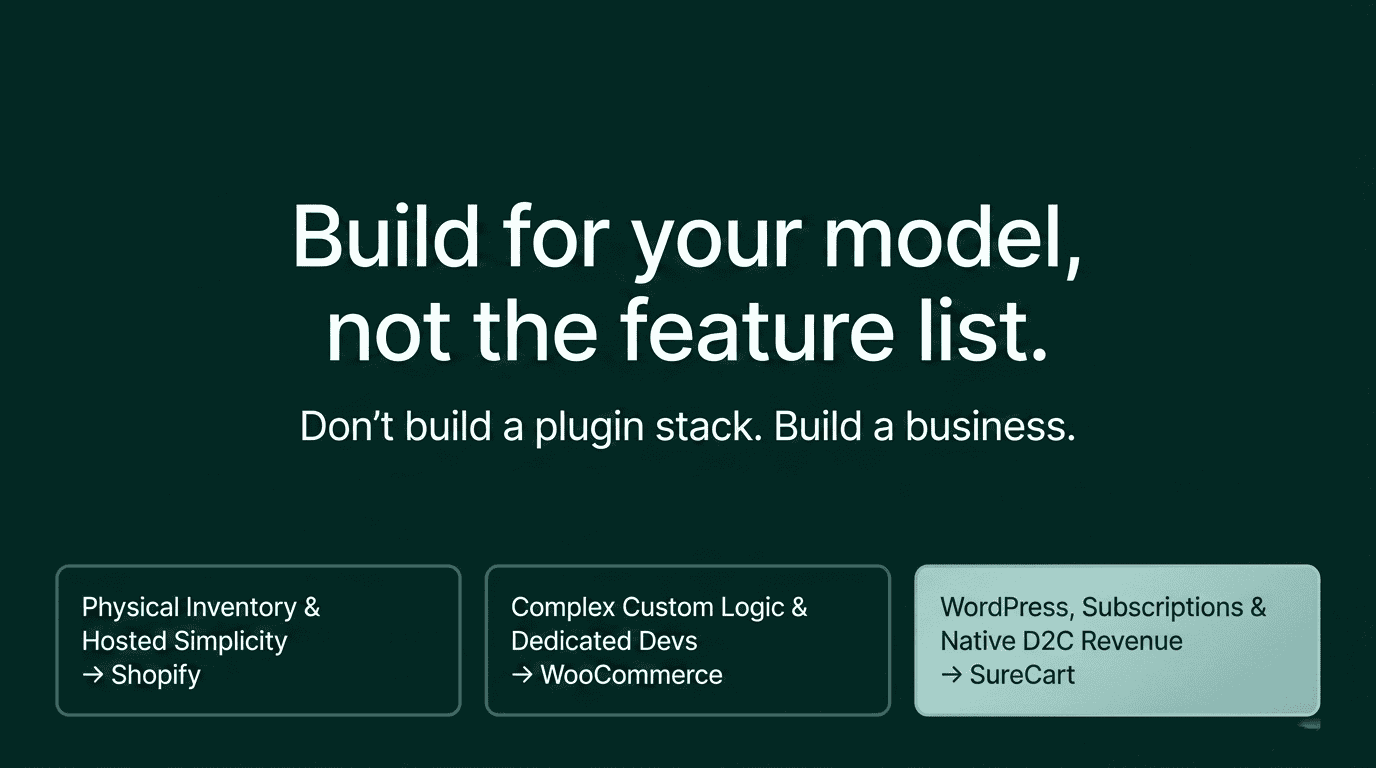
WooCommerce, Shopify, and SureCart are all legitimate ecommerce platforms. They have different strengths, and none of them is the right answer for every store.
Shopify is the best fit for physical-first stores that don’t need to be on WordPress, and for sellers who want a fully hosted setup with no server management. The costs add up quickly once you need subscriptions or a non-Shopify payment gateway, so model the full cost before committing.
WooCommerce is the right choice for complex or custom stores with real technical resources behind them. It gives you more architectural control than any hosted platform, and that control is genuinely valuable when you need it.
SureCart is built for WordPress sellers who want to run subscriptions, digital products, or D2C stores with a complete revenue toolset without managing a plugin stack. If that describes your situation and you’re already on WordPress, it’s worth a proper look.
You can start SureCart for free and see how it fits your setup before paying anything. If subscriptions and built-in selling tools are on your list of requirements, the comparison to a WooCommerce plugin stack or a Shopify app stack usually answers the question on its own.