Running an eCommerce store on WordPress sounds simple until you look at how much of your day disappears into operational busywork.
A customer asks for a refund. You open your dashboard, search for the order, check the subscription, process the refund, and jump back to your inbox. You want to launch a weekend promotion. That means creating the coupon, configuring the discount, attaching it to a campaign, setting start and end dates, and double-checking everything before it goes live.
None of these tasks is hard. They’re just repetitive. And over time, the constant tab-switching, clicking, and admin work becomes part of the job of running an online store.
That’s where Claude + SureCart changes the workflow.
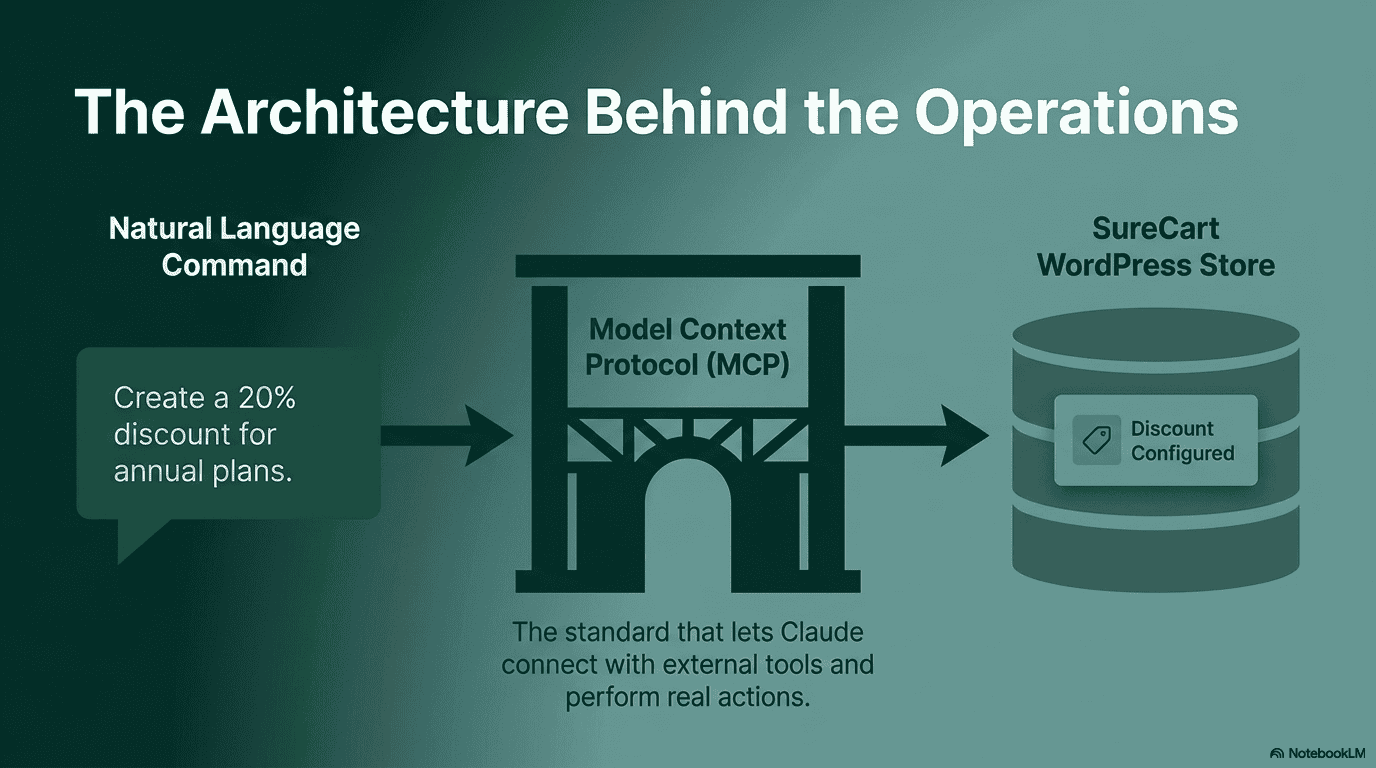
By connecting Claude to your SureCart-powered WordPress store through MCP (Model Context Protocol), you can manage products, subscriptions, orders, customers, promotions, fulfillment, and more using natural language.
Instead of navigating dashboards, you describe what you want done.
This isn’t AI generating marketing copy or writing product descriptions. Claude can actually operate parts of your store like, processing workflows, surfacing insights, and handling operational tasks that would normally take multiple screens and manual steps.
The chat window stops being an assistant and starts becoming the operational layer for your store.
What Happens When Claude Can Operate Your Store
Most AI tools built for WordPress focus on content. They’ll help you write product descriptions, generate blog posts, or draft emails faster.
SureCart MCP takes a very different approach.
Instead of helping Claude write about your store, it gives Claude the ability to interact with your store operations directly.
MCP stands for Model Context Protocol. It’s the standard that lets AI models connect with external tools and perform real actions inside them. In this case, your SureCart store becomes accessible through a conversation interface.
Once connected, Claude can work with products, pricing, subscriptions, orders, customers, coupons, promotions, fulfillment workflows, refunds, and more using plain English prompts.
For example:
- “Create a 20% discount for annual plans this weekend.”
- “Find customers with failed subscription renewals from the last 7 days.”
- “Refund the latest order from john@example.com.”
- “Show me products with the highest checkout abandonment rate this month.”
The important shift here is that you’re no longer navigating your store through menus and dashboards first. You start with intent.
You describe what needs to happen, and Claude handles the operational workflow behind it.
SureCart also gives you control over permissions. You can keep Claude in read-only mode, allow editing access, or enable more advanced operational actions depending on how you want to use it.
For store owners, this changes the role of AI from something that generates content to something that helps run the operational side of the business.
5 Things You Can Do With Claude + SureCart Right Now
1. Launch Promotions and Discounts in Seconds
Running promotions on a WordPress store usually sounds easier than it actually is.
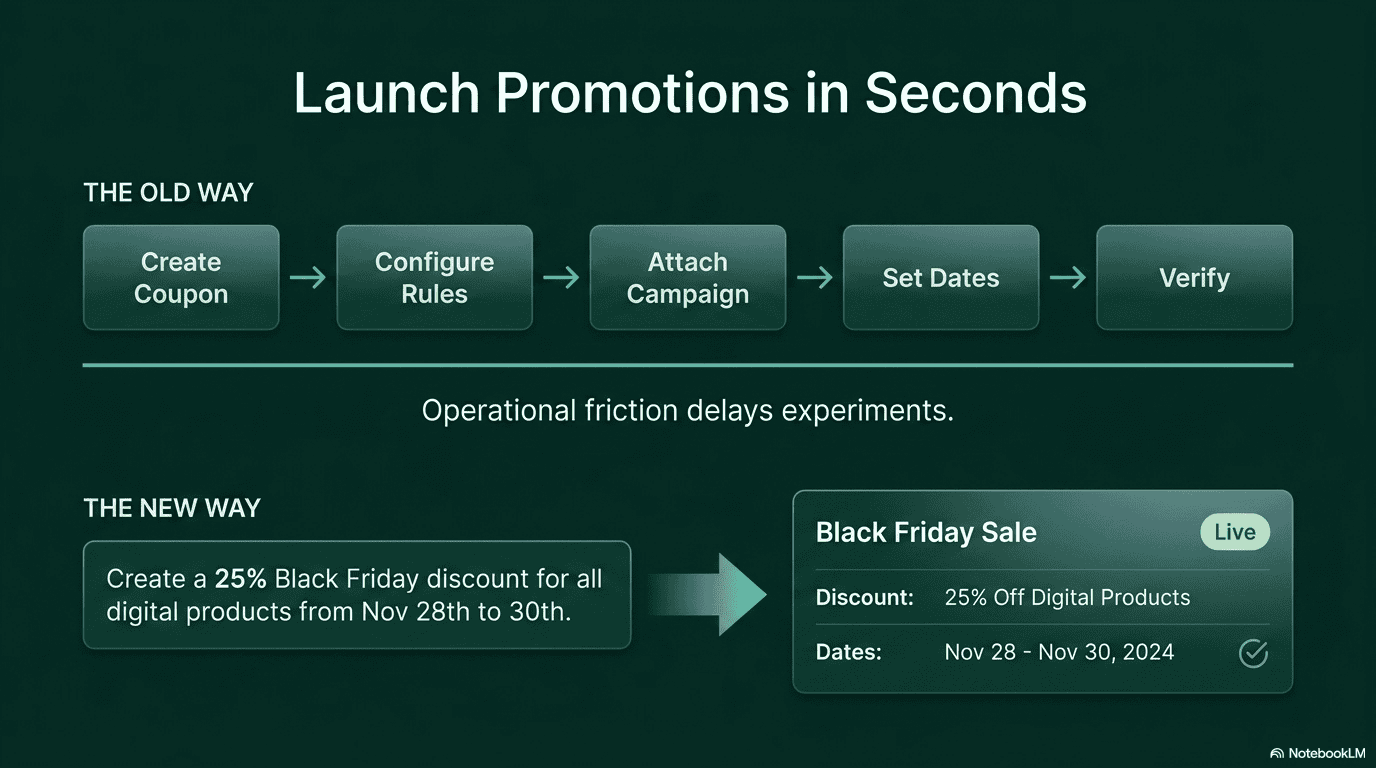
You create the coupon first. Then configure the discount rules. Then attach it to a promotion or campaign. Then set the dates. Then double-check whether everything is active and connected properly before the sale goes live.
It’s not difficult work. It’s just operational friction that slows down execution.
With Claude connected to SureCart, the workflow becomes conversational.
You can say:
“Create a 25% Black Friday discount for all digital products from November 28th to 30th.”
Claude can handle the coupon setup, promotion configuration, and scheduling from a single prompt.
The practical impact here is bigger than just saving a few clicks.
Most stores don’t avoid promotions because they lack ideas. They avoid them because setup feels like admin work. When creating a campaign takes seconds instead of fifteen minutes, it becomes easier to test offers, run experiments, and react quickly to opportunities.
2. Handle Customer Support Without Jumping Between Tabs
Support requests are one of the biggest sources of operational overhead for online stores.
A simple billing issue can turn into a chain of repetitive steps:
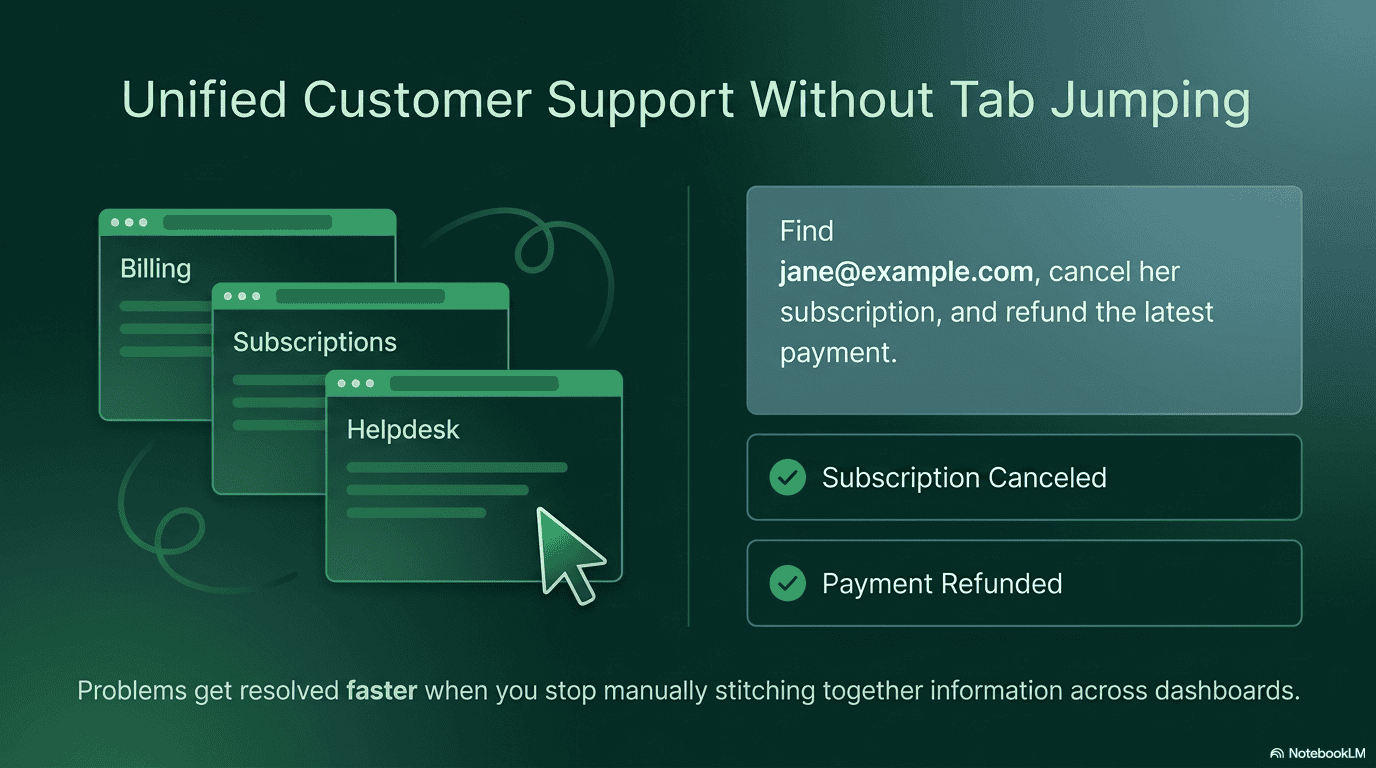
finding the customer account, checking orders, reviewing subscription status, processing refunds, updating licenses, and then finally replying to the customer.
Most of that time isn’t spent solving the problem. It’s spent navigating between screens.
With Claude, those workflows can happen inside a single conversation.
You can ask:
“Find jane@example.com, cancel her subscription, and refund the latest payment.”
Or:
“Show me all active orders from this customer.”
Instead of manually stitching together information across different parts of the dashboard, the workflow becomes direct and immediate.
For store owners and support teams, that changes the pace of customer operations significantly. Problems get resolved faster, repetitive admin work decreases, and support becomes less about navigating software and more about helping customers.
3. Create Products and Pricing Models Faster
Launching new products on WordPress often involves more setup than people expect.
Even something simple like offering:
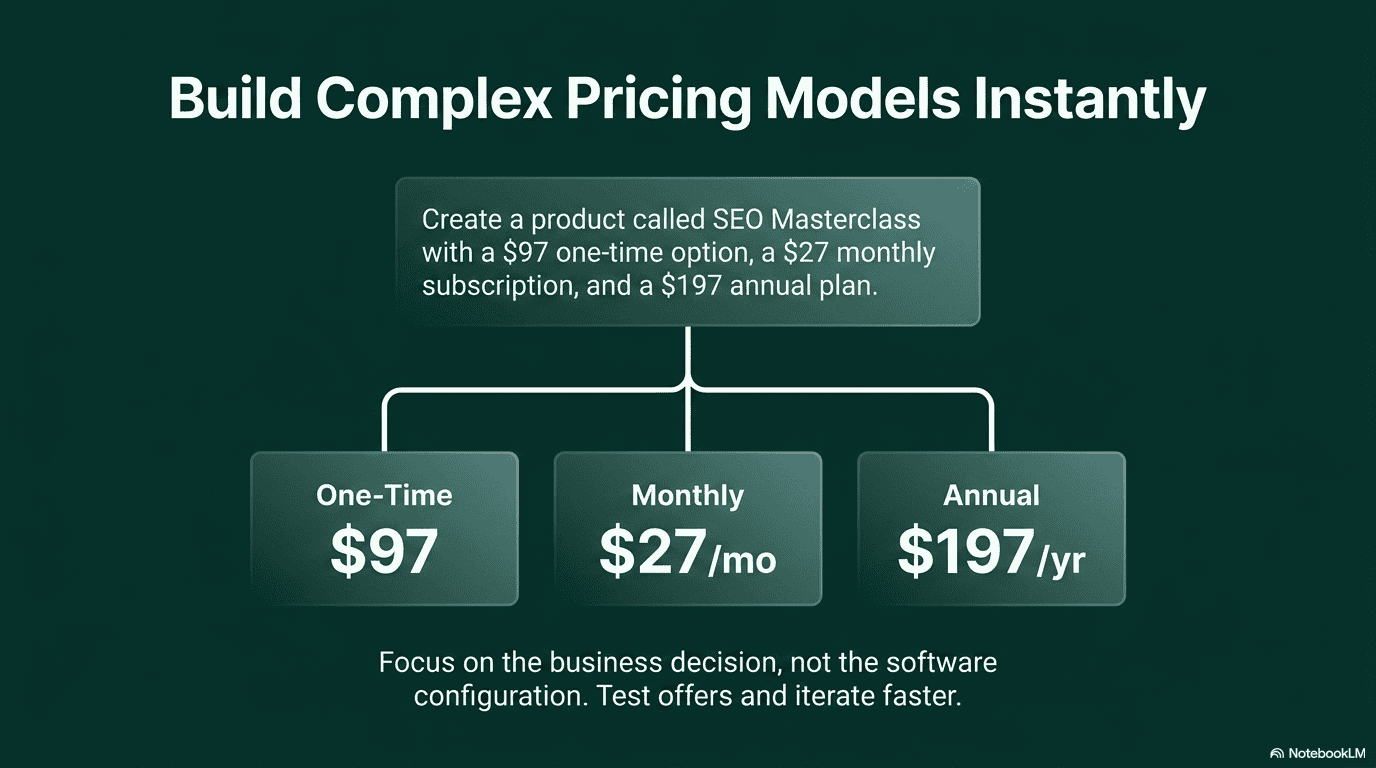
- a one-time purchase
- a monthly subscription
- an annual plan
usually means creating multiple pricing records, attaching them manually, and configuring everything separately before the product is actually ready to sell.
With Claude, you can describe the structure once and let the workflow happen from there.
For example:
“Create a product called SEO Masterclass with a $97 one-time option, a $27 monthly subscription, and a $197 annual plan.”
Instead of thinking about how to configure the product, you focus on the business decision itself.
That matters because operational friction affects launch velocity more than most teams realize. When creating pricing experiments or new product variations becomes easier, stores tend to test more offers, iterate faster, and launch ideas they would otherwise postpone.
4. Understand What’s Happening in Your Store in Real Time
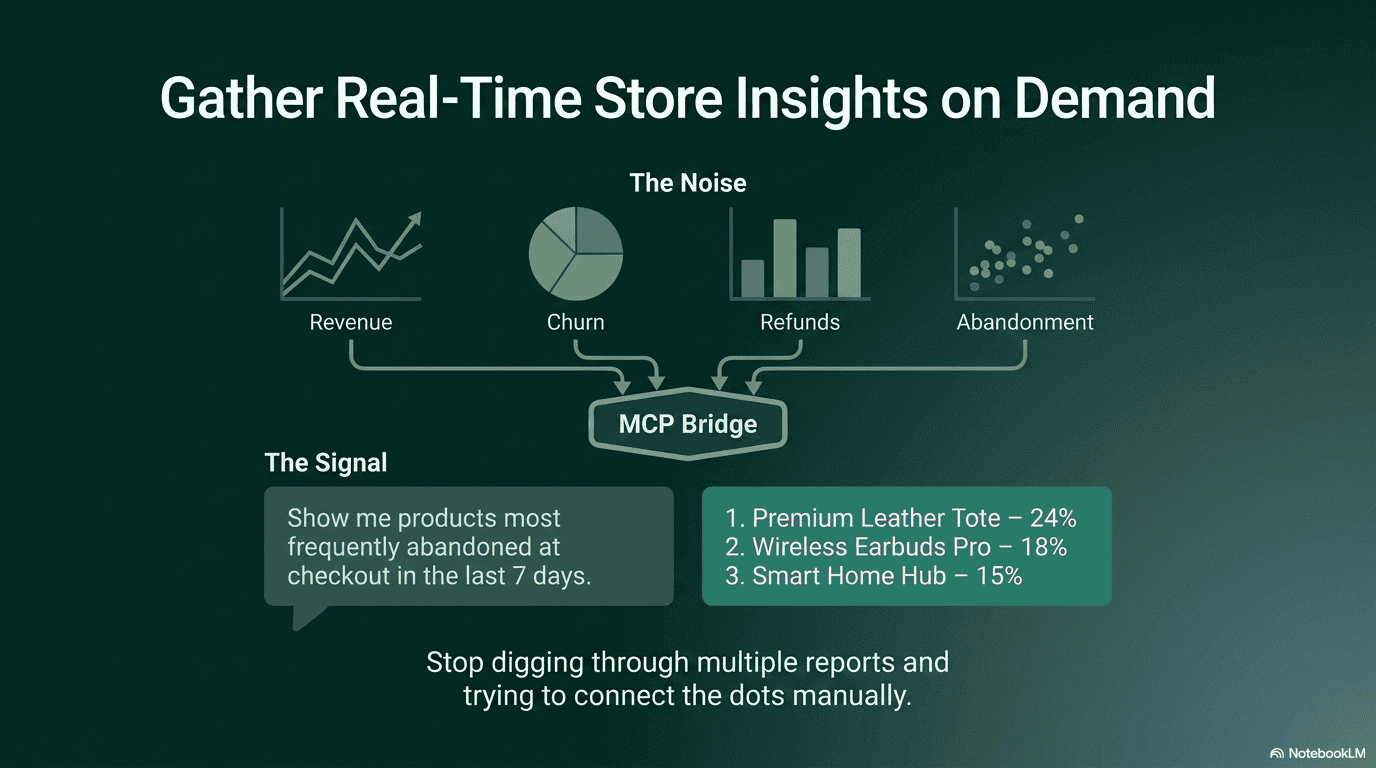
Most store owners already have access to analytics. The problem is that getting useful answers usually means digging through multiple reports and trying to connect the dots manually.
You check revenue in one place, subscriptions in another, refunds somewhere else, and abandoned carts in a separate report entirely. By the time you piece everything together, the original question has already turned into a half-hour task.
Claude changes that workflow completely.
Instead of navigating reports, you ask direct operational questions.
For example:
“What was our refund rate this week?”
“Show me products most frequently abandoned at checkout in the last 7 days.”
“Find subscriptions with failed renewals from this month.”
“How many active subscribers do we currently have?”
Claude can surface insights across orders, subscriptions, refunds, and checkout activity in a single conversation.
This becomes especially useful for identifying operational problems early. You can quickly spot products with unusually high checkout abandonment, failed subscription payments that could lead to churn, or refund trends that need attention before they become larger revenue leaks.
The advantage here isn’t just speed. It’s accessibility. When store intelligence becomes conversational, you stop avoiding operational analysis because it feels tedious to gather the data.
5. Reduce Repetitive Fulfillment Work
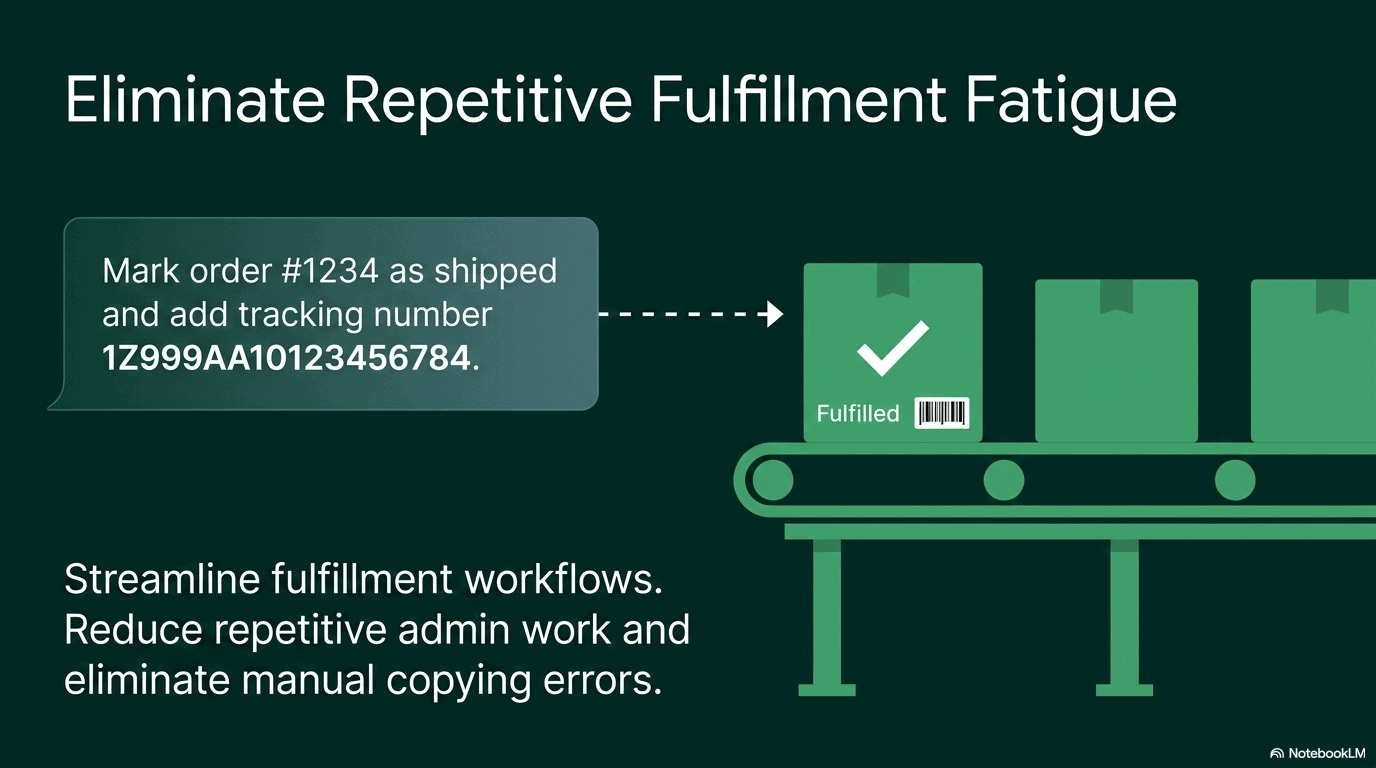
For physical product stores, fulfillment is one of the most repetitive parts of the day.
Open the order. Mark it as fulfilled. Add the tracking number. Save. Repeat the same workflow again and again across dozens of orders.
The process itself is simple, but repetitive tasks create fatigue quickly, especially when you’re moving between tabs and copying information manually.
With Claude connected to SureCart, fulfillment workflows become much more streamlined.
You can ask:
“Show me today’s unfulfilled orders.”
Or:
“Mark order #1234 as shipped and add tracking number 1Z999AA10123456784.”
Instead of clicking through every individual order screen, the workflow becomes faster and more direct.
For growing stores, that operational efficiency matters. Reducing repetitive admin work doesn’t just save time. It also lowers the chances of fulfillment mistakes that happen when teams are manually updating orders under pressure.
Claude Handles Store Operations. You Still Control the Experience.
Claude can already manage a large part of your store’s operational workflow through SureCart. Things like products, subscriptions, refunds, promotions, fulfillment, and store insights can all happen conversationally.
But running a store and designing the experience around it are still two different layers.
Today, visual decisions like page layouts, branding, checkout design, and broader site customization still happen inside WordPress builders and editors. Infrastructure-level settings like payment gateways and security-sensitive configurations also remain under direct human control.
That separation is intentional.
SureCart focuses Claude on operational workflows first — the repetitive tasks, workflows, and store management actions that normally require navigating multiple dashboards.
At the same time, the broader WordPress ecosystem is already moving toward deeper AI integration through the Abilities API and MCP. As more plugins, builders, and tools expose their capabilities to AI systems, conversational workflows inside WordPress will continue expanding.
The goal isn’t to replace human decision-making. It’s to reduce the operational friction between an idea and execution.
Getting Started With Claude + SureCart WordPress Store
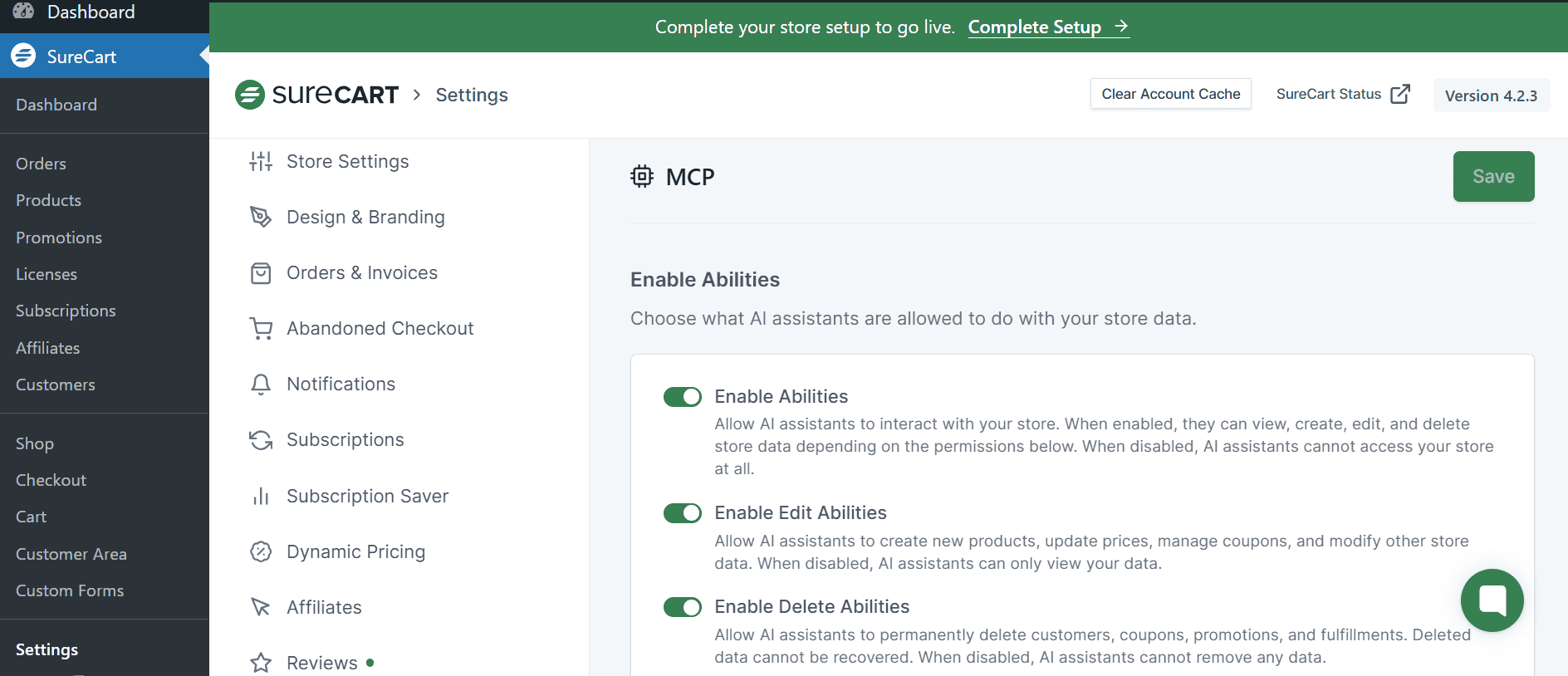
Getting started only takes a few minutes, and you can connect it to your existing WordPress store without changing the way your store is set up today.
- Update your SureCart plugin to v4.3.0 or later.
- Open the MCP settings inside SureCart and generate your MCP server URL.
- Connect Claude to your store using the generated MCP URL.
- Choose your permission level:
- Read-only access for insights and store visibility
- Edit access for operational workflows
- Advanced permissions for actions like refunds, fulfillment updates, and store management
- Start prompting Claude in plain English.
Once connected, the workflow becomes much more direct. Instead of navigating through multiple WordPress dashboards and settings screens, you describe what needs to happen and Claude handles the operational workflow from there.
WordPress eCommerce Just Became Conversational
Running a WordPress store has traditionally meant learning how to navigate dashboards efficiently.
You memorize where subscriptions live. Which screen controls promotions. Where refunds are processed. Which report contains the numbers you need. Over time, managing the store becomes as much about operating software as it is about growing the business itself.
Claude + SureCart changes that interaction model.
Instead of navigating your store through menus first, you start with intent. You describe the outcome you want, and the operational workflow happens from there.
That shift affects more than convenience.
It changes:
- how quickly you can execute ideas
- how easily your team handles support
- how often you experiment with pricing and promotions
- how accessible store insights become
- how much operational overhead exists in the day-to-day running of the business
The WordPress dashboard isn’t disappearing. But it no longer has to be the center of every workflow.
For store owners, creators, membership businesses, and eCommerce teams, conversational store operations opens up a faster and more flexible way to manage the business behind the storefront.