You decide you want recurring payments on your WordPress site. You search “WordPress subscription plugins.” Five articles come up, each recommending something different, and half of them use “subscription plugin” and “membership plugin” as if they’re the same thing. Others recommend WooCommerce Subscriptions without mentioning that it costs $279/year and requires a full WooCommerce setup underneath it.
This post cuts through that. Below is a breakdown of six solid options, what each one actually does, what it costs, and which situations each one fits. No padding, no filler, just what you need to pick the right tool.
Membership Plugin vs. Subscription Plugin: What’s the Difference?
These terms get used interchangeably online, but they describe two different jobs.
A subscription plugin handles the billing side. It charges customers on a recurring schedule (monthly, annually, or on a custom cycle) and manages what happens when a payment fails, when someone wants to pause, or when they want to switch plans.
A membership plugin controls access. It restricts posts, pages, downloads, or course content to subscribers who are in good standing, and grants or revokes access based on subscription status.
Most serious tools do both, but they lean one way. SureCart and WooCommerce Subscriptions are billing-first. MemberPress and SureMembers are access-control-first, with billing built in. Knowing which direction a plugin leads helps you pick the right combination, or decide whether one plugin can cover the full job for your setup.
What to Look for in a WordPress Subscription Plugin
Before comparing tools, it helps to know what actually separates a good subscription plugin from a mediocre one, because most roundup posts treat every feature as equally important, and they aren’t.
Payment gateway support. Stripe and PayPal are the baseline. If you sell outside the US, check whether Mollie, Razorpay, or other regional gateways are included natively or locked behind paid add-ons.
Subscription management depth. This is where most posts fall short. Recurring revenue isn’t just about getting the first charge through. It’s about what happens when a card expires, when a subscriber wants to pause instead of cancel, or when they want to move from monthly to annual. Plugins that handle this cleanly reduce both support tickets and churn.
What’s free versus paid, and what the real total cost is. Some plugins charge $279/year for the base plugin, then expect you to pay separately for access control, dunning, or subscriber self-management. Others bundle everything. The sticker price is rarely the whole story.
WordPress server load. Most subscription plugins store all billing logic, subscriber records, and transaction history inside your WordPress database. That’s workable at a small scale, but it becomes a performance concern as a store grows. A cloud-processed billing model, where subscription logic runs off your server, is architecturally different and worth understanding.
Customer self-service. A subscriber who has to email you to swap a credit card or change their plan is a churn risk. A clean self-service dashboard is a churn prevention tool.
The Best WordPress Subscription Plugins in 2026
SureCart
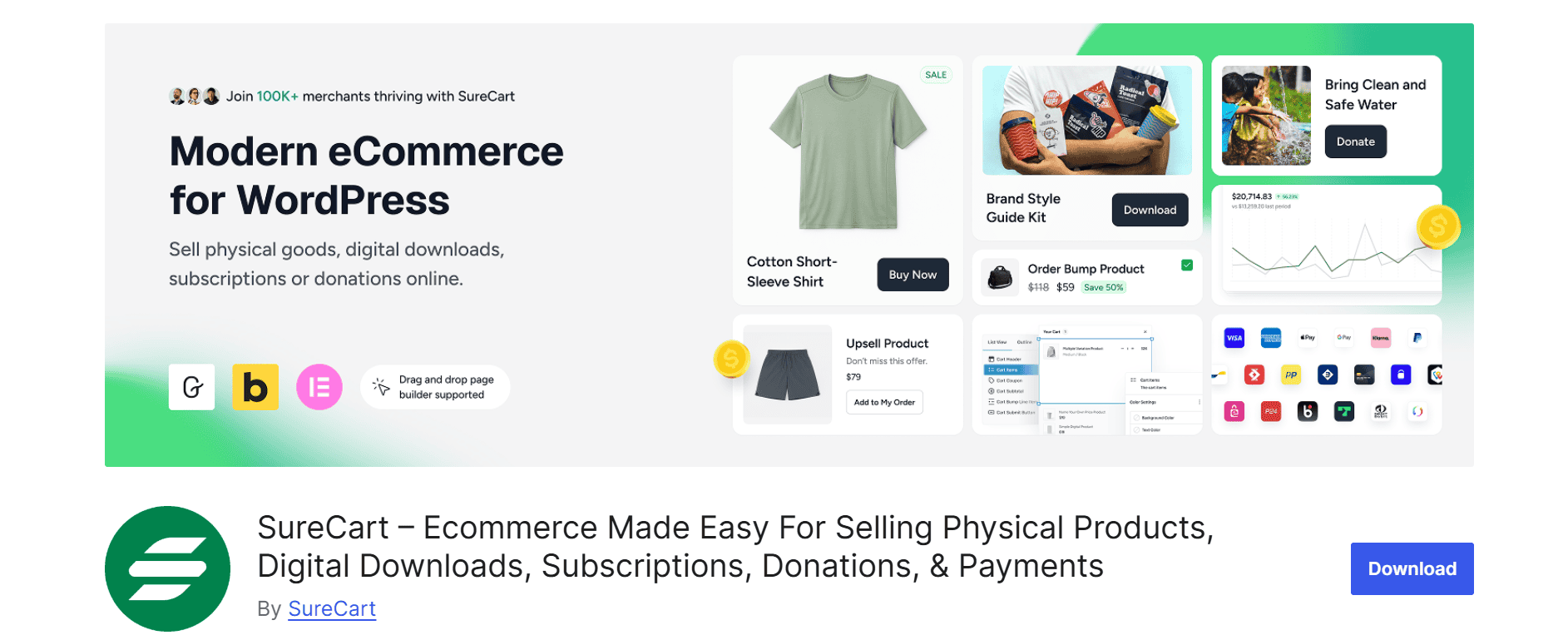
SureCart processes subscription logic on its own cloud infrastructure, not inside your WordPress database. Your product pages and checkout forms are standard WordPress pages, editable with Gutenberg, Elementor, or Bricks Builder, but the billing engine, subscriber records, and payment processing all run off your server. The result is a leaner WordPress installation regardless of how many subscriptions you’re running.
Here’s the pricing model to understand clearly: every SureCart plan, including the free one, offers the same full set of features. There are no features locked behind a paid tier.
The difference between the free Launch plan and the paid Pro plan is a single thing: transaction fees. The Launch plan charges a 2.9% fee on each successful transaction. The Pro plan, starting at $199/year for one store, removes that fee entirely, with no feature walls.
What this means in practice: dunning, the Subscription Saver cancellation retention flow, subscriber self-management, order bumps, cart abandonment recovery, dynamic pricing, and affiliate tools are all available from day one on the free plan.
On the payment gateway side, SureCart supports Stripe, PayPal, Mollie, and Razorpay, and multiple processors can run on the same checkout form. Apple Pay and Google Pay express checkout are also supported.
Dunning works automatically. When a payment fails, SureCart retries the charge and sends a configurable recovery email sequence. A subscriber whose card has expired gets a window to update it before access is paused.
The Subscription Saver feature handles voluntary cancellations. Instead of an immediate cancellation, subscribers see retention options you configure: a pause, a discount, or a downgrade. SureCart also logs every cancellation reason from subscribers who leave anyway, surfacing trends in a dashboard over time.
Subscribers self-manage through SureCart’s customer dashboard: upgrades, downgrades, payment method changes, pauses, and invoice history, all without contacting you.
SureCart pairs natively with SureMembers for content access control, and with OttoKit for post-purchase workflow automation such as course enrollments, email sequences, and license key delivery.
Pricing: Free plan (all features, 2.9% transaction fee). Pro plan from $199/year for one store, no transaction fee.
Best for: New WordPress stores that want complete subscription billing without building on WooCommerce. Agencies building reusable ecommerce stacks for multiple clients. Anyone who wants dunning, retention tools, and subscriber self-management included on day one without paying separately for them.
WooCommerce Subscriptions
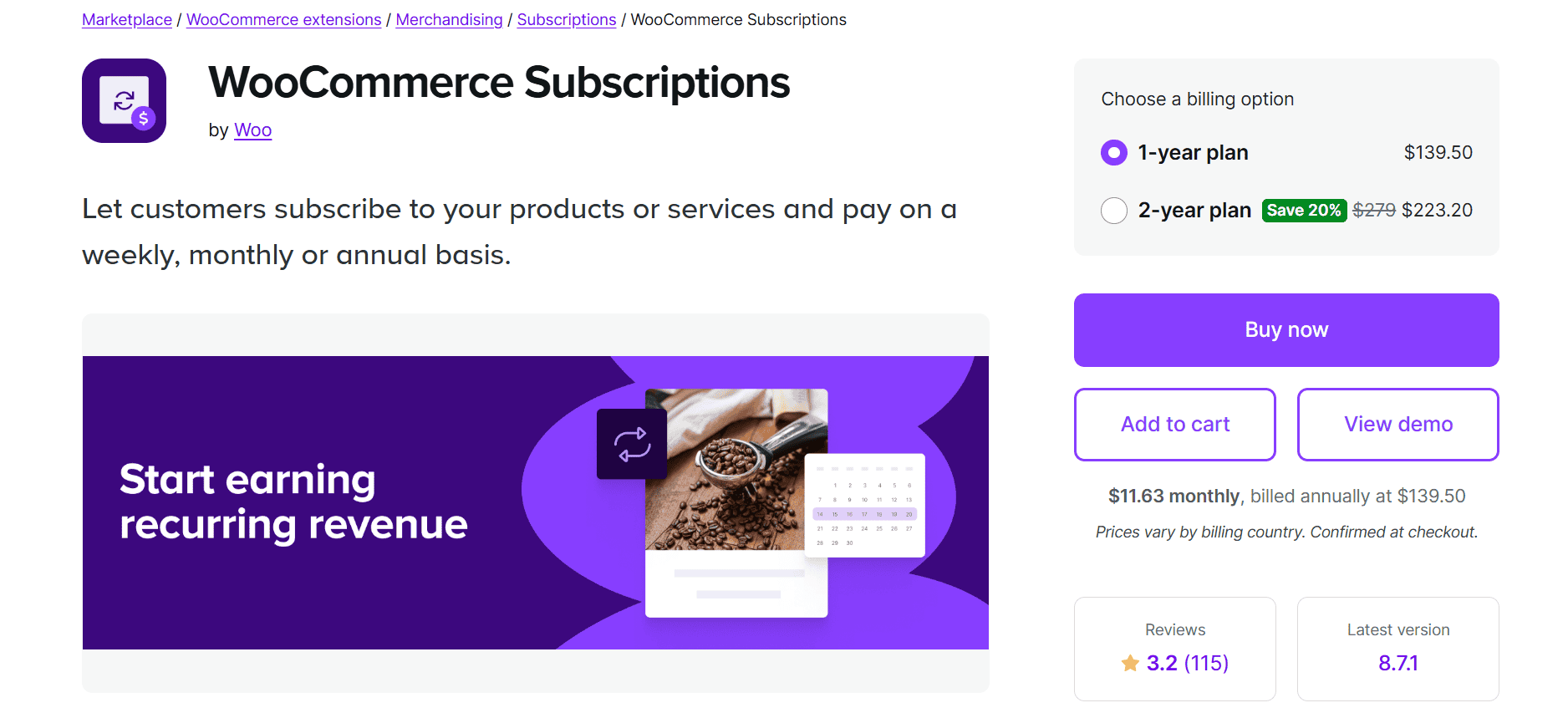
WooCommerce Subscriptions is the standard choice for stores already built on WooCommerce. It integrates natively into WooCommerce’s checkout and product management system, supports variable subscriptions (different billing frequencies per product variant), and synchronizes renewal dates across a subscriber’s multiple active subscriptions.
The plugin is maintained by the WooCommerce team and covers a lot of ground: over 25 payment gateways, built-in automatic rebilling on failed payments, subscriber upgrade and downgrade flows, renewal notifications, and subscription coupons. Subscribers can manage their own plans from a My Account page, suspending, canceling, or switching plans without needing to contact support.
WooCommerce Subscriptions is $279/year for a single-site annual license, on top of your existing WooCommerce setup. If you also need content access control, WooCommerce Memberships is a separate plugin at an additional cost.
For stores already deep in WooCommerce, that’s a reasonable stack. For new stores where subscriptions are the main product rather than an add-on to physical goods, it’s worth comparing whether a standalone subscription plugin delivers more built-in value at a lower total cost.
Pricing: $279/year. Check woocommerce.com for current pricing.
Best for: Stores already built on WooCommerce, particularly for physical subscription products such as subscription boxes and recurring consumables, or any use case where tight integration with WooCommerce’s product catalog, inventory, and order management genuinely matters.
MemberPress
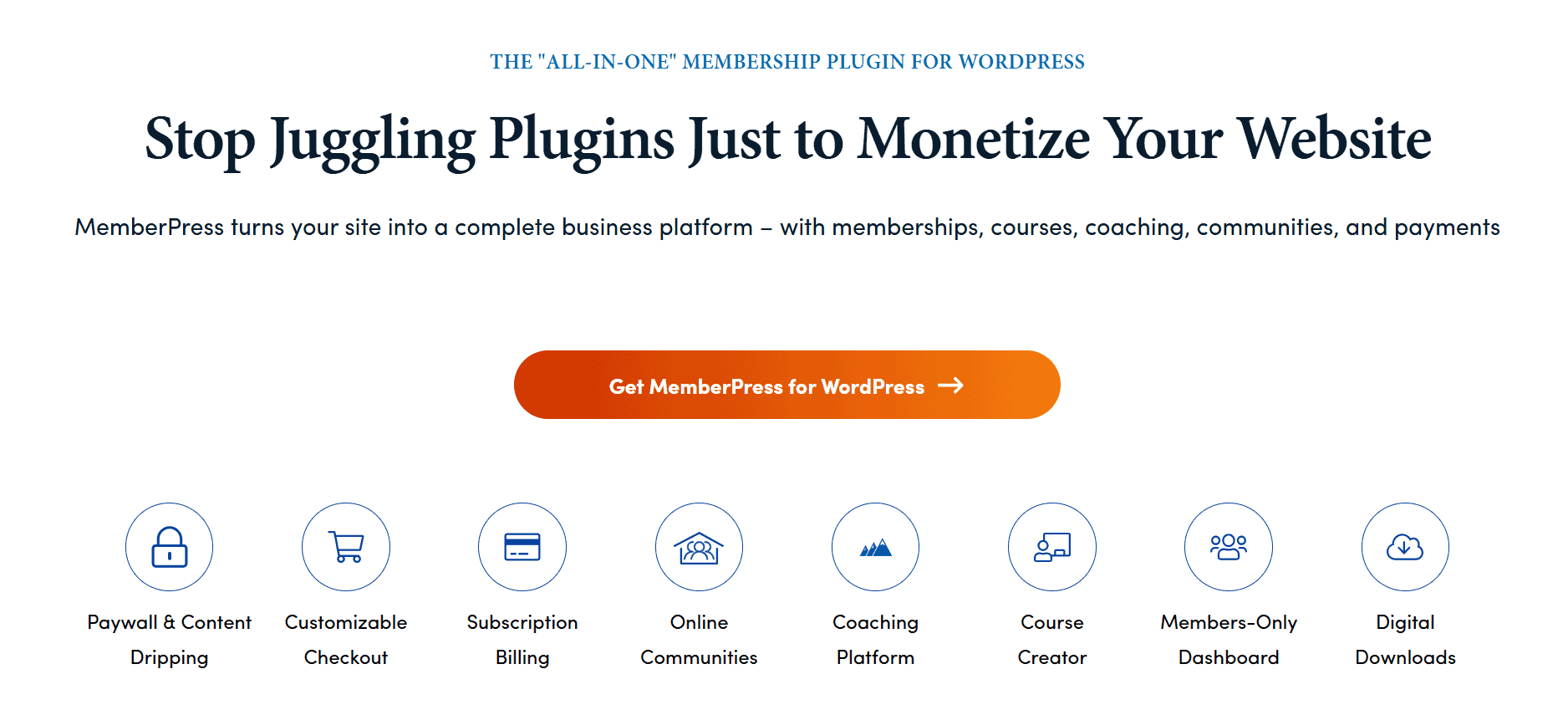
MemberPress handles subscription billing, content restriction, courses, community features, and coaching programs in a single plugin. If your business model is content-first, with a course platform, a premium newsletter, or a coaching membership, MemberPress is built for exactly that.
The content access control is detailed. You can restrict posts, pages, custom post types, categories, tags, and file downloads by membership tier, with drip schedules to release content over time after someone subscribes. The built-in course builder covers quizzes, certificates, and progress tracking without a separate LMS plugin.
MemberPress has three pricing tiers. Launch is $199.50/year intro (regular $399/year) and includes a 4.9% transaction fee per successful payment. Growth is $349.50/year intro (regular $699/year), removes the transaction fee, and adds community and coaching features. Scale is $499.50/year intro (regular $999/year).
The transaction fee on the Launch plan is worth factoring in at meaningful subscription volume. On $1,000/month in revenue, it adds around $600/year on top of the license cost alone. Verify current pricing at memberpress.com.
For payment processing, MemberPress supports Stripe, PayPal, and Authorize.Net. Integrations include Mailchimp, ActiveCampaign, ConvertKit, and Zapier.
Pricing: Launch from $199.50/year intro (+ 4.9% transaction fee). Growth from $349.50/year intro (no transaction fee).
Best for: Course creators, coaches, and premium content publishers who want billing, content restriction, and course delivery handled by a single plugin. Less suited to physical product subscriptions or setups where the main need is payment flexibility rather than content gating.
Paid Memberships Pro

Paid Memberships Pro is fully open source, available for free on WordPress.org, with no enforced limit on how many sites you can install it on. The free version handles membership levels, content restriction, and payments via Stripe and PayPal. Basic reporting on sign-ups, revenue, and member activity is included.
Premium add-ons (content dripping, group accounts, advanced integrations, and more) are available as separate modules. Access to premium add-ons and priority support requires a paid license. The team also offers a managed hosting option called Max, from $99/month, for teams who want infrastructure handled for them.
The architecture is deliberately modular. The core is lean, and you extend it only with what you actually need. Developers tend to appreciate the clean hook and filter system and the well-maintained documentation. The trade-off is that a mature build can involve managing several add-on plugins rather than one self-contained tool.
Pricing: Free open-source core. Paid licensing for premium add-ons and support.
Best for: Developers who want a solid open-source foundation they can build on. Budget-conscious site owners who want to start free and add functionality incrementally. Teams comfortable with a modular plugin ecosystem.
Restrict Content Pro
Restrict Content Pro is a leaner plugin focused on content restriction and subscription billing. It doesn’t include a built-in LMS or community features, which also means it doesn’t carry that overhead.
There is a free version, but it adds a 2% processing fee on Stripe transactions on top of Stripe’s standard rate. All paid plans remove that fee and include access to 34 pro add-ons covering dripped content, group accounts, email marketing integrations, and more.
The plugin is maintained under Liquid Web’s ownership following its 2020 acquisition from Sandhills Development. Payment gateway support covers Stripe and PayPal natively, with additional gateways available through add-ons. Template files are editable, and the action/filter architecture makes custom integrations practical.
Pricing: Free plan available (with 2% Stripe processing fee). Paid plans from around $99/year.
Best for: Developers and technically capable site owners who want clean content restriction and subscription billing without the weight of a full all-in-one platform.
SureMembers (Pair With SureCart) – Bonus Mention

SureMembers belongs in this list as a companion tool rather than a standalone option. It handles content access control, protecting posts, pages, courses, and downloads by membership tier, while SureCart manages billing and subscription processing.
The two are designed to work together: SureCart grants and revokes access automatically based on subscription status, and SureMembers controls exactly what each subscriber tier can see.
SureMembers is not a subscription billing plugin. It’s the access layer you add when your subscription business involves gated content, not just payment collection.
Best for: Any SureCart user who also needs content restriction. Together, SureCart handles billing, and SureMembers handles access, covering the full stack without requiring a single large all-in-one plugin.
Which Plugin Fits Your Situation?
|
Your situation |
Best fit | |
|---|---|---|
|
Starting fresh, want all subscription features, including dunning, retention tools, and self-service, without WooCommerce |
SureCart (all features free, upgrade to remove transaction fee) | Free (2.9% transaction fee) or from $199/yr with no transaction fee |
|
Deep in WooCommerce with an established product catalog |
WooCommerce Subscriptions |
$279/yr (WooCommerce core is free) |
|
Already on WooCommerce, but want more subscription depth built in |
SureCart (cloud billing, full feature set from day one) | Free (2.9% transaction fee) or from $199/yr with no transaction fee |
|
Need subscriptions, content gating, and courses in one plugin |
MemberPress |
From $199.50/yr intro + 4.9% transaction fee (Launch); from $349.50/yr intro with no transaction fee (Growth) |
|
Want subscriptions plus content access, prefer a modular stack |
SureCart + SureMembers | SureCart free or from $199/yr + SureMembers from $99/yr intro |
|
Want open-source flexibility and are comfortable extending with add-ons |
Paid Memberships Pro (free core) |
Free core (premium add-ons and support require a paid license from $99/yr ) |
|
Need lightweight content restriction and billing with a developer-friendly codebase |
Restrict Content Pro |
Free (+ 2% Stripe processing fee) or from ~$99/yr to remove the fee and unlock pro add-ons |
Two rows worth unpacking further.
For stores already on WooCommerce, the right choice depends on how central WooCommerce is to the operation. If your store has hundreds of products with complex variants, shipping rules, and WooCommerce-specific extensions, WooCommerce Subscriptions keeps everything in one system. If you’re using WooCommerce mainly as infrastructure and subscriptions are the actual business, SureCart gives you more subscription management depth at a comparable or lower total cost, with dunning, subscriber self-management, and cancellation retention flows all included on the free plan.
For the modular stack row, SureCart and SureMembers together give you a dedicated billing engine and a dedicated access control layer as separate concerns. MemberPress bundles both into one plugin. Neither approach is inherently wrong; a single plugin is simpler to manage, while a modular stack lets you replace components independently without rebuilding everything.
A Note on Subscription Management (What Most Posts Skip)
Most roundups confirm a plugin “supports subscriptions” and move on. The real question is what happens once a subscription is running and something goes wrong.
Dunning. When a payment fails due to an expired card, a declined charge, or insufficient funds, the plugin should retry automatically, notify the subscriber, and give them a window to fix the issue before access is revoked. This is called dunning, and it directly affects monthly recurring revenue. SureCart handles it natively on all plans. WooCommerce Subscriptions include automatic rebilling on failed payments. MemberPress has recovery email capability, though the behavior depends partly on gateway configuration.
For any plugin you’re seriously evaluating, test the failed payment flow before going live.
Subscriber self-management. A subscriber who needs to email you to update a credit card or change from monthly to annual is a friction point with a real cost. If it takes effort, some subscribers won’t bother; they’ll just let the subscription lapse. Plugins that provide a clean self-service dashboard where subscribers can upgrade, downgrade, pause, swap payment methods, and view invoices without contacting support reduce that friction passively.
Cancellation flows. The moment a subscriber clicks “cancel” is not necessarily the moment they’ve made a final decision. A retention flow that offers an alternative (a pause, a discounted renewal, a downgrade) can hold back a meaningful share of would-be cancellations. SureCart includes this as Subscription Saver, available on all plans. Most other tools on this list don’t have a native equivalent, meaning you’d need a separate tool or custom implementation to achieve the same result.
Pro Tip: If your subscription plugin doesn’t include dunning management and a subscriber self-service dashboard, those capabilities don’t disappear from your list of needs. You’ll cover them somewhere else, in another plugin, in manual support work, or as revenue lost from subscribers who didn’t bother to update their card.
The Bottom Line
Most of the meaningful differences come down to two questions: whether you’re building on WooCommerce, and whether you need content access control alongside billing.
If WooCommerce is the foundation of an established store, WooCommerce Subscriptions keeps everything integrated in one system. If subscriptions are the core of what you’re selling and you’re starting fresh or open to a leaner stack, SureCart gives you the most complete subscription engine out of the box, with dunning, subscriber self-management, and cancellation retention tools all included on the free plan. The only reason to upgrade to Pro is to remove the 2.9% transaction fee once your revenue makes that worthwhile.
For content-first businesses (courses, coaching, gated communities), MemberPress is the most established all-in-one option. For open-source flexibility with a modular architecture, Paid Memberships Pro is a solid starting point.
Start with SureCart’s free plan to evaluate the model. Every feature is available from day one, no card required.